
A Recheck Three Weeks Later
Training assessments now invite people back for more rounds and show how each skill moved. Managers see a level for each skill, and the exact scores stay with the person.
Some organizations use AlgoArena assessments to train their own people, and teachers use them with a class or a bootcamp. Training raises a question that hiring does not ask, which is whether the person got better. Until now, each person could take an assessment only once, so there was nothing to compare. Training assessments now invite people back for more rounds and show how each skill moved between them. The manager reading the results sees a level for each skill, while the exact scores stay with the person.
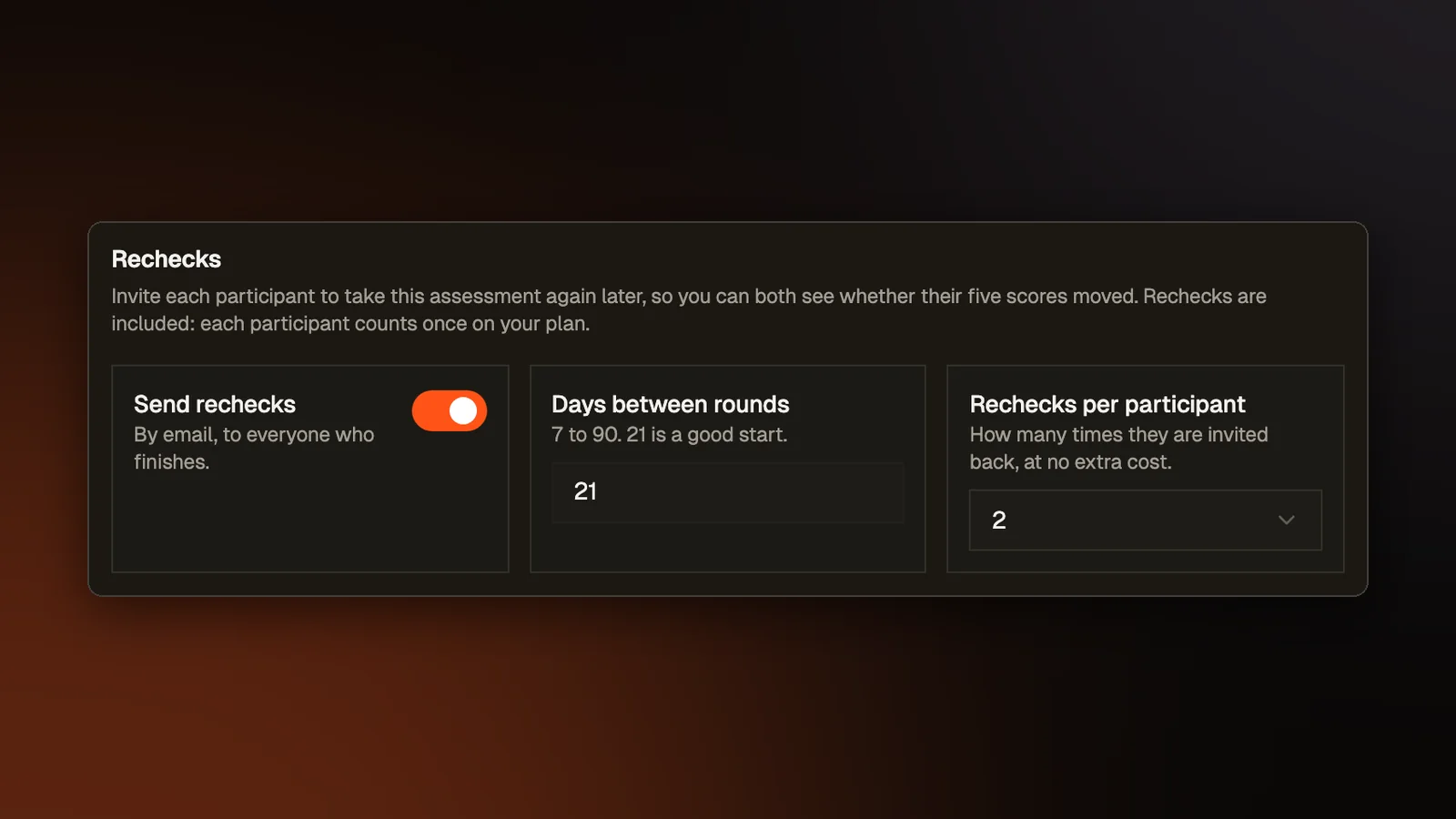
Rechecks
When someone finishes a training assessment, we email them a fresh invitation to the same assessment once enough time has passed. By default that is 21 days after each round, with two rechecks, which makes three rounds in all. In the assessment's Settings tab, the organizer can set anywhere from 7 to 90 days between rounds and from one to four rechecks, or turn rechecks off. These settings appear only on training assessments.
The invitation goes out only after the person's latest round has been graded, so the next round has a result to be compared with. A recheck invitation lets the person begin a new attempt even though their earlier one is finished. If its link expires before anyone uses it, we send one fresh link automatically. After that, or if a manager revoked the link, the person's row in the Team view (described below) reads Link expired, with a Resend button.
How skills moved
Every round is scored on the same five skills: problem solving, planning, prompting, verification, and agentic workflow (how well someone directs AI agents that write code). New training assessments show people their own results by default. Each person then sees a Progress card on their results page with each round's date and their five scores side by side, along with the change from round 1. The screen right after submitting shows the five scores too, so someone who took the assessment without an account still sees them.
Two cases never get a number on that card. A skill that was not measured in a round shows as Not measured instead of 0. No change is worked out from it, so a skill nobody could measure never looks like a drop. When two rounds were scored by different versions of our scoring, both rounds' scores show but no change between them. A note under the card names the rounds that were scored differently.
What the manager sees
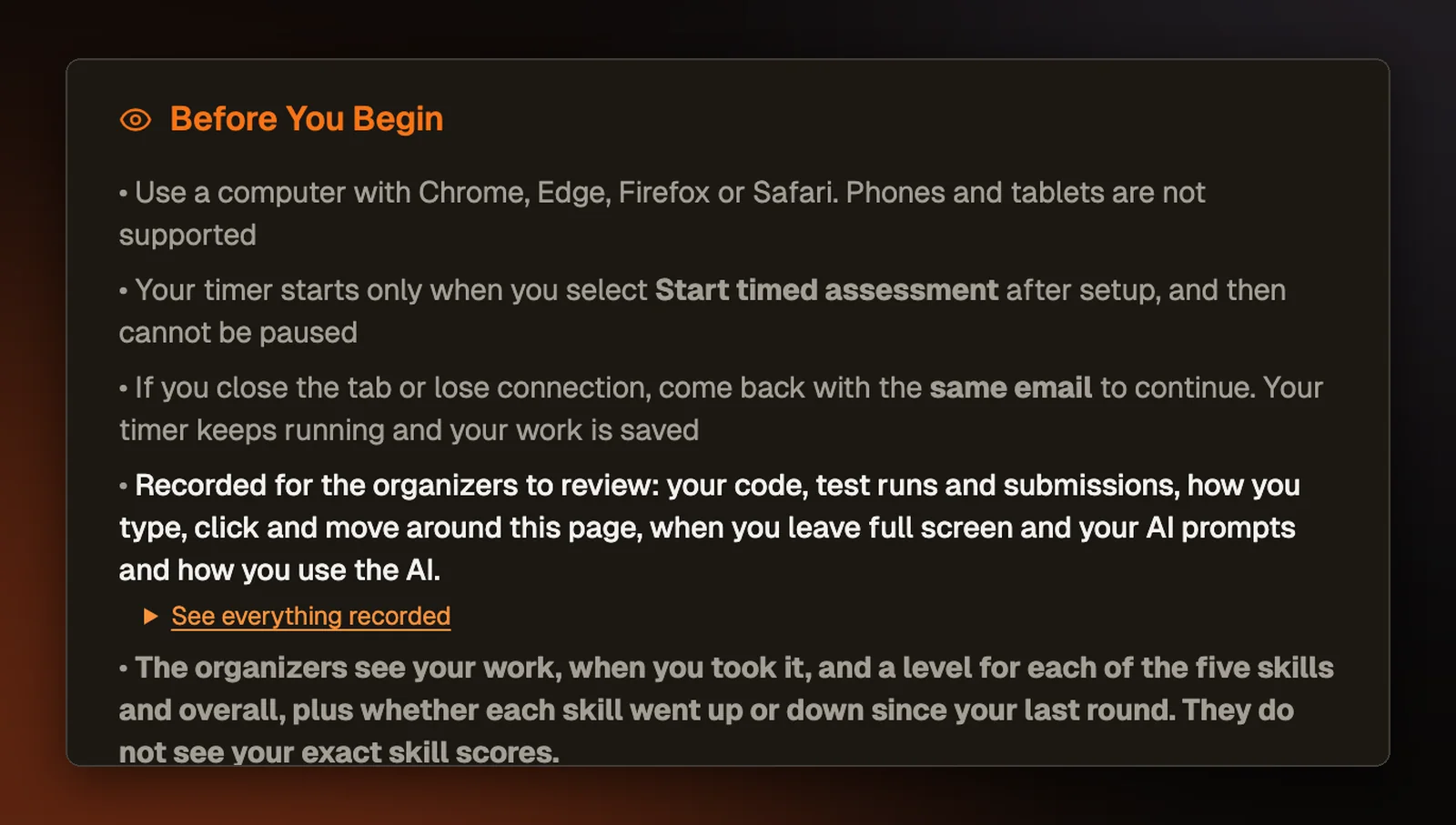
On a training assessment, the person reading the results is usually the participant's manager or teacher. We decided the exact skill numbers belong to the person who earned them. On every page and export a manager opens for a training assessment, each of the five skills and the overall score shows as one of five levels: Novice, Emerging, Average, Above average, or Expert. The manager's copy of the Progress card shows these levels in place of the scores. The manager still sees the person's work, their test results and points, and when they took it.
Next to each level is Up, Down, or Same, for the change since the previous round. Scores move a little between two sittings when nothing has changed, and simply sitting a test a second time tends to raise the score. So a skill shows Up or Down only when the change is too large for those two effects to explain. A smaller change shows as Same.
The numbers are removed on our server before anything reaches the manager's browser, because a page that only hid them would still send them there. Rena, our AI assistant, follows the same rule in the chat on the report page. On a training assessment she sees and talks about levels only, where before she could quote a skill score out of 100.
Before a training assessment starts, the person is told what the organizers will see, including that they do not see the exact skill scores.
The Team view
The Participants tab on a training assessment has a Team view with one row per person. A row shows how many rounds they have finished and when the latest was, their level in each skill with the direction since their previous round, where their next recheck stands, and a link to their latest report. The recheck column reads Due now, Sent with a date, In progress, All rounds done, or Link expired, among others.
The bottom row holds the team's averages, which are levels too. An exact average that moved each time one more person finished would give away that person's score. An average shows only when at least five people have a level in that skill.
The page that sums up results across all of an organization's assessments leaves training rounds out of its hiring averages and shows them in a Training levels card of their own.