
Each Skill Score Measures What Its Name Says
The five skill scores on an assessment report now follow the definitions in our published competency framework, with one name and one color everywhere. Classroom builds get the same five skills, scored from the student's chat.
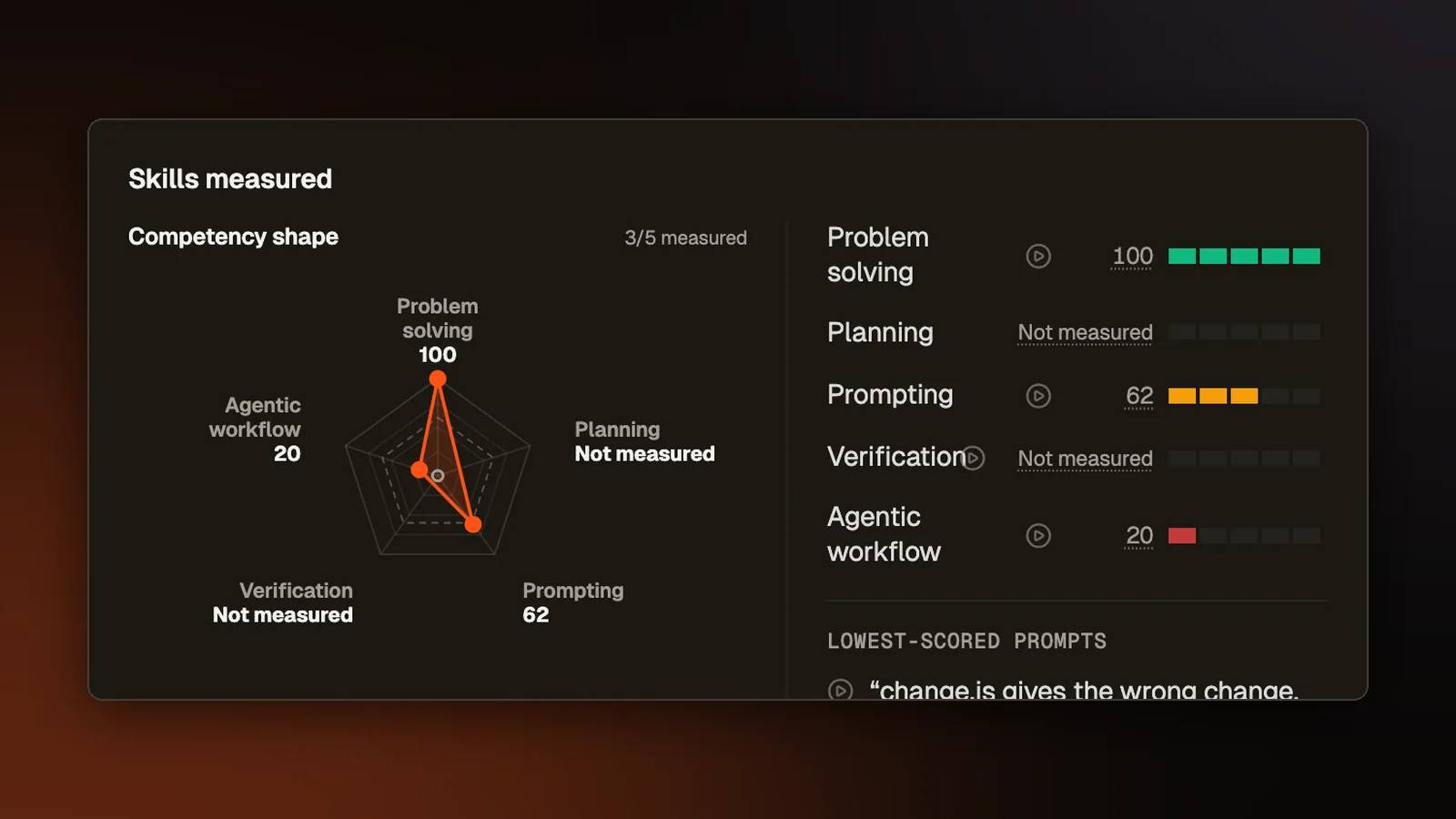
Every assessment report has points, which come from tests or a rubric, and five skill scores: Problem solving, Planning, Prompting, Verification and Agentic workflow. Our paper, A Competency Framework for Assessing AI-Assisted Programming Work, defines these five and describes what a high score and a low score look like for each. Until this change, some scores were read from behavior the paper does not describe, and the same skill went by different names on different pages. Now each skill has one name, and the scoring reads it from the behavior the paper names for it.
One name for each skill
Each skill used to have a long name, such as "Planning & Decomposition" or "Verification & Iteration", and a short one that some pages showed instead. The one name each skill has now appears everywhere a person sees it, including the report, the PDF, the compare page, training assessments and the participant pages. Hovering a skill shows the paper's description of a high and a low score, word for word. Reports saved earlier keep their numbers and show the new names when opened.
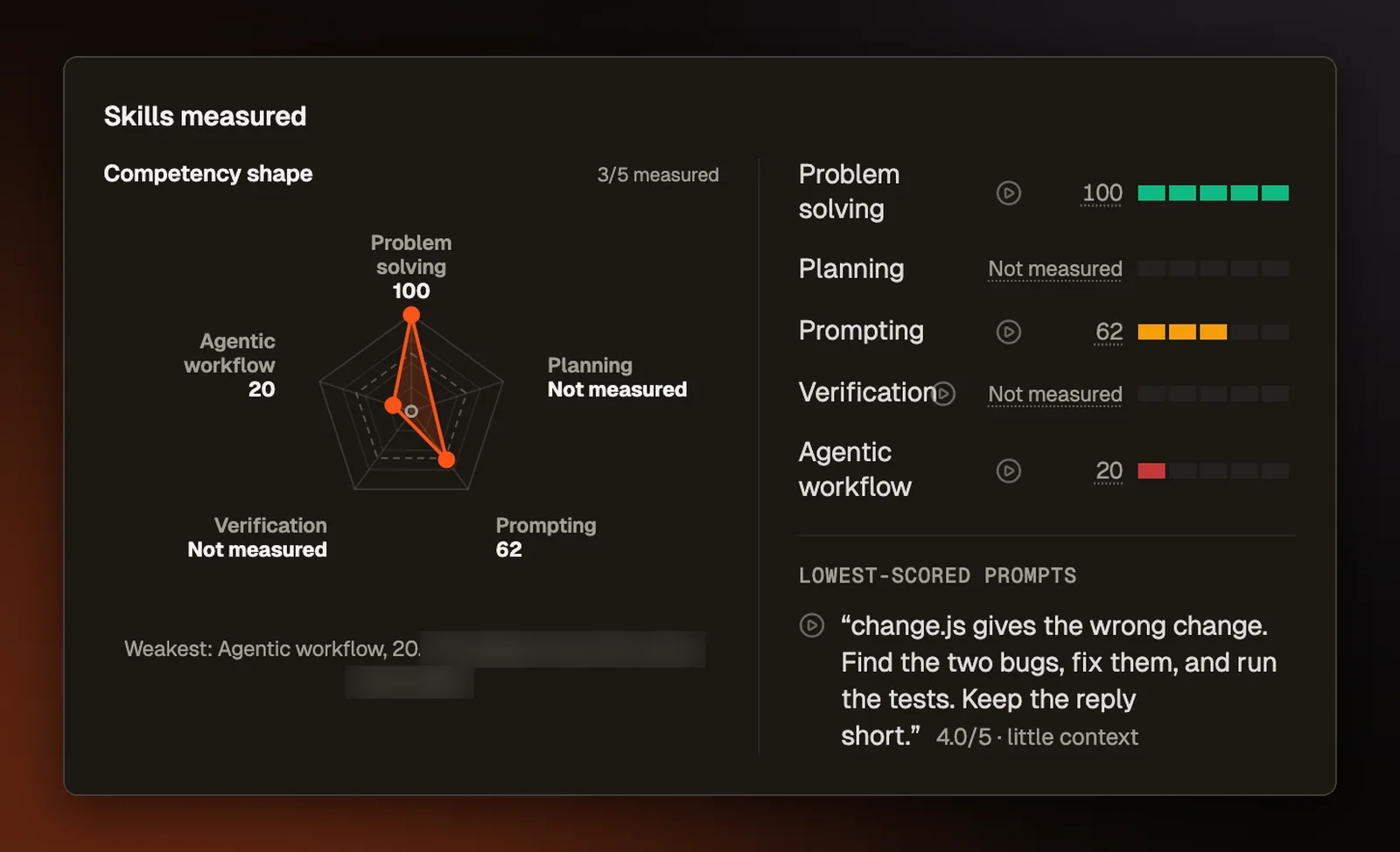
Problem solving now sits on the report's skills chart with the other four, at the top, on its own 0 to 100 scale. Each report places an attempt in one of four bands, Strong, Solid, Promising or Weak, and a dashed ring on the chart marks where Solid starts. A line under the chart names the weakest skill and its score.
How each skill is read
Problem solving is mostly the points. On questions with tests, two smaller parts sit beside them. The first is code quality, which an AI checks against a fixed list of yes or no questions, 30 times over. We also measure how deeply the code is nested and how much of it repeats, compared with a known good answer. The second is the edge cases (unusual inputs, like an empty list) that the participant named in their own typed work, such as a custom input they ran, a test they wrote, a note or a prompt. Pasted text and tests an AI wrote earn nothing there. A part that could not be measured is left out instead of counting as zero. The points themselves never change.
A question without AI has no plan to read and no prompts, so Planning there comes from what the participant did after a failed run. A change that gets more tests passing, or makes the error go away, earns credit. A change that brings back the same failure does not. Whether they read the question before they started typing also counts, though reading longer earns nothing extra. Typing speed, pauses and the number of runs are never read.
Verification scores each AI change by the strongest check that followed it, such as running the code or a test, using the running app, undoing the change, editing it, or reading the diff (the view that shows exactly what changed). When the only check is the agent reporting that the tests pass, the change earns nothing. Asking the AI to explain its change counts only when a run, an edit or an undo follows. On questions without AI, Verification now shows too, read from whether the participant ran their own changes. On those questions, Planning and Verification stay out of AI fluency, the report's average of the four AI skills.
In the paper, a high Agentic workflow score means steering several agents at once, and a low one means sticking to a single agent and abandoning it when it fails. Abandoning is now defined as an agent run that failed with no follow-up from the participant, such as another prompt to that agent.
What the report shows
Each skill has a button that opens the replay, our recording of the attempt. It now opens at the moment behind the score, such as the first plan the participant made or a run they started where tests failed. Before, some of these buttons opened at the start of the question, and some on the Overview tab did nothing.
A skill score now has the same color on every tab. The Follow-up questions tab used to color a score by the list it sat in, so a 53 could be green there and amber on the skills card.
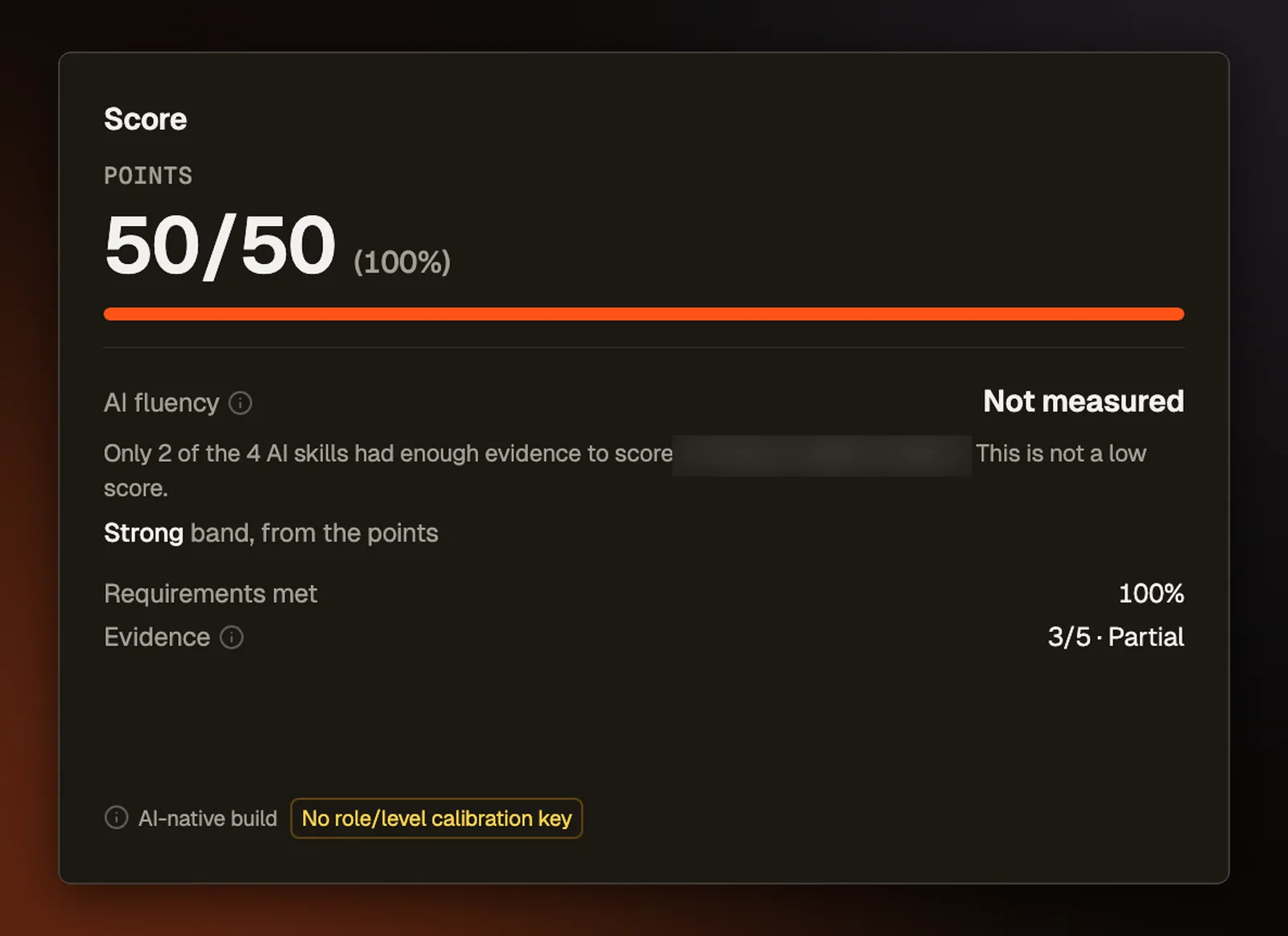
Every attempt now gets a band, including one with no AI or with too few AI skills measured, which used to show no band at all. Those attempts show the band of their points, labeled as coming from the points, with the same cutoffs.
The feedback a participant can see after an attempt no longer calls keeping an AI change exactly as written a weakness. It counts the AI changes they kept without a run, an edit, an undo or a look at the diff, and says that keeping a change as written is fine once you have seen it work.
Scores from the old scoring and the new one are never compared. A report keeps the version it was scored with, and anything that compares a group of people keeps the two apart.
The same five skills in Classroom
Build with AI problems in Classroom are scored on the same five skills. Until this change, the scoring never received the student's chat with the agent, so Prompting was read from nothing and came out 0 for a student who had prompted three times. The build page now sends the chat along with the build. A student who sent no prompts at all has Prompting left out instead of scored 0. In a live quiz with a build question, a skill with no evidence now stays out of the student's points instead of counting as 0.
Teachers get a class view of the skills on Assignment Statistics, the class Grades tab, the report after a live session and the screen that reveals the answers to a live build question. It shows each skill's class average and range, how many students were measured on it, and a line naming the weakest skill. A teacher can pick a skill to list students from the lowest score up. The reveal screen leaves out names, since the class may be watching.
A student's skill scores used to be saved with the assignment's scoreboard, which every student on the assignment can read. Now they are saved apart from it, where each student can read only their own scores and the teacher can read everyone's.