
A Coding Assignment From an Idea
Instructors can describe a coding assignment and get a full draft to check against its reference solution before students see it. Problems written by hand can now ask students for a single function instead of a whole program.
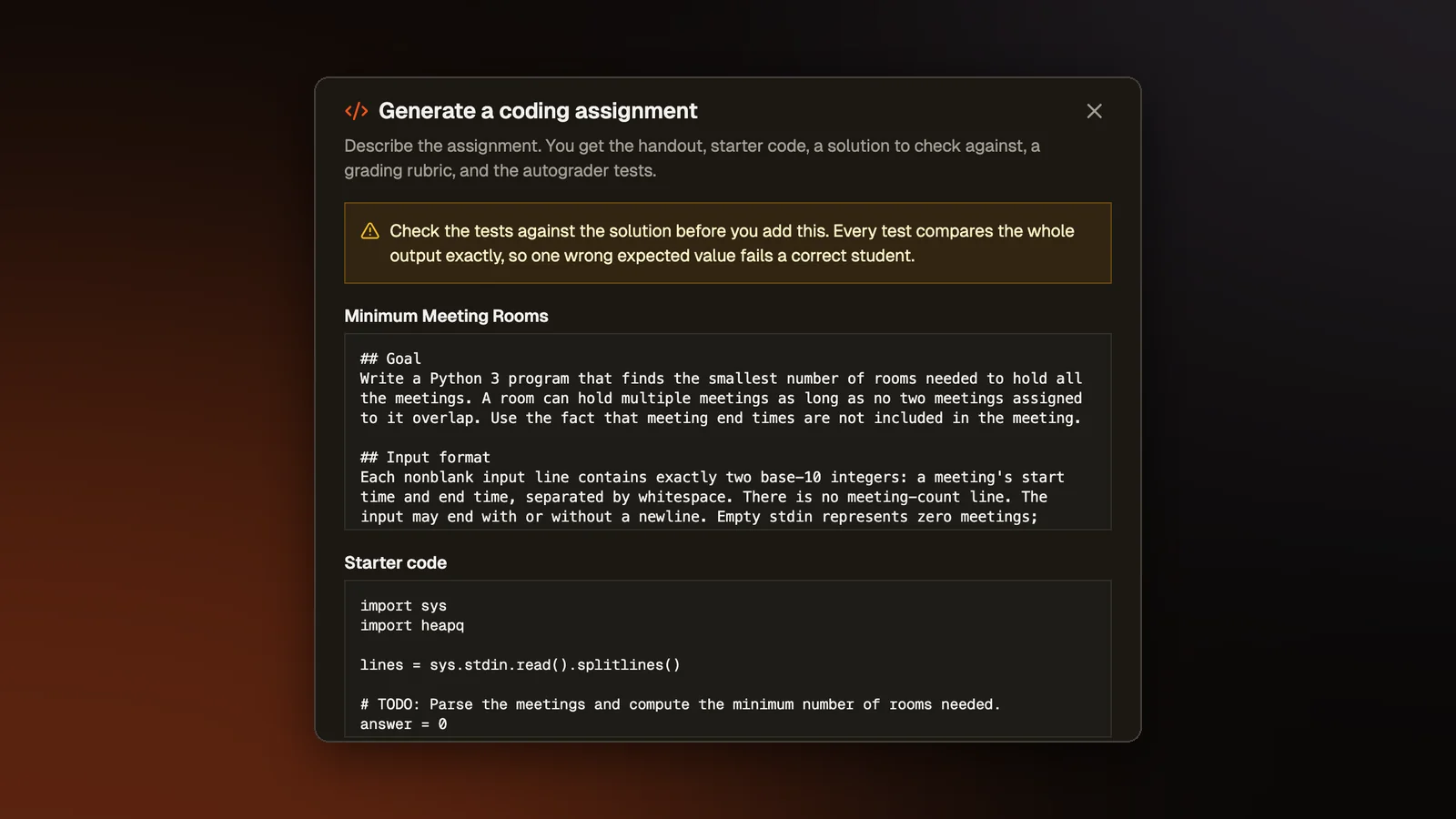
A programming assignment is five pieces that have to agree with each other: the handout students read, the starter code they open, a reference solution, a rubric, and the tests the autograder runs. If one test expects the wrong output, a student with a correct answer still loses points.
What changed
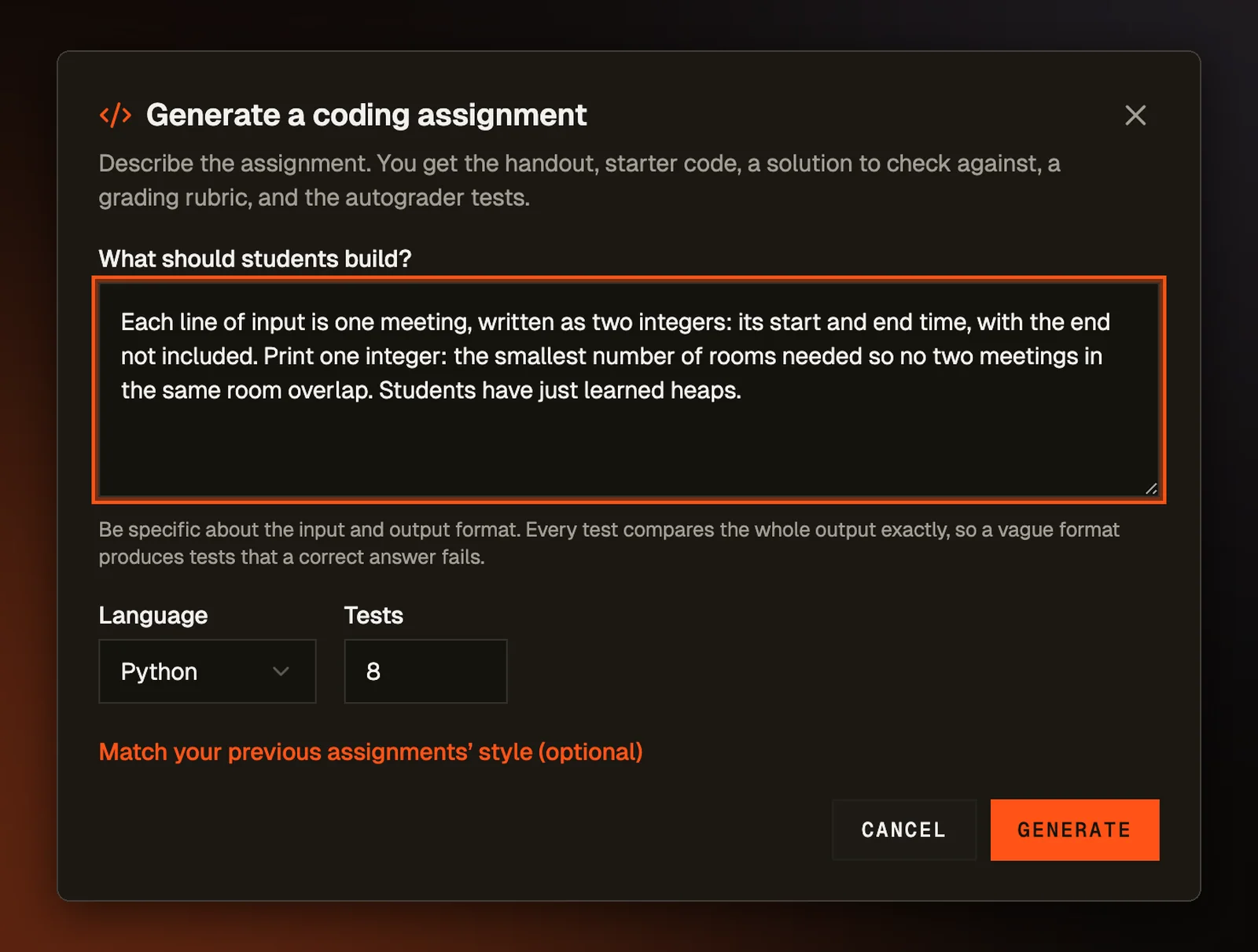
When you create an assignment, the Add problem menu now includes "Generate coding assignment." Describe what students should build, pick a language and how many tests you want, and the generator writes all five pieces as one draft. The description box asks you to be specific about the input and output format, because the autograder compares a student's whole output with each test's expected output.
The review comes first
A generated draft opens on a review screen showing the handout, the starter code, the reference solution, and every test with its input and expected output, hidden tests included. A note at the top asks you to check the tests against the solution. The button that adds the problem is on that screen and nowhere else, so you have seen the solution and the tests before the problem can be added.
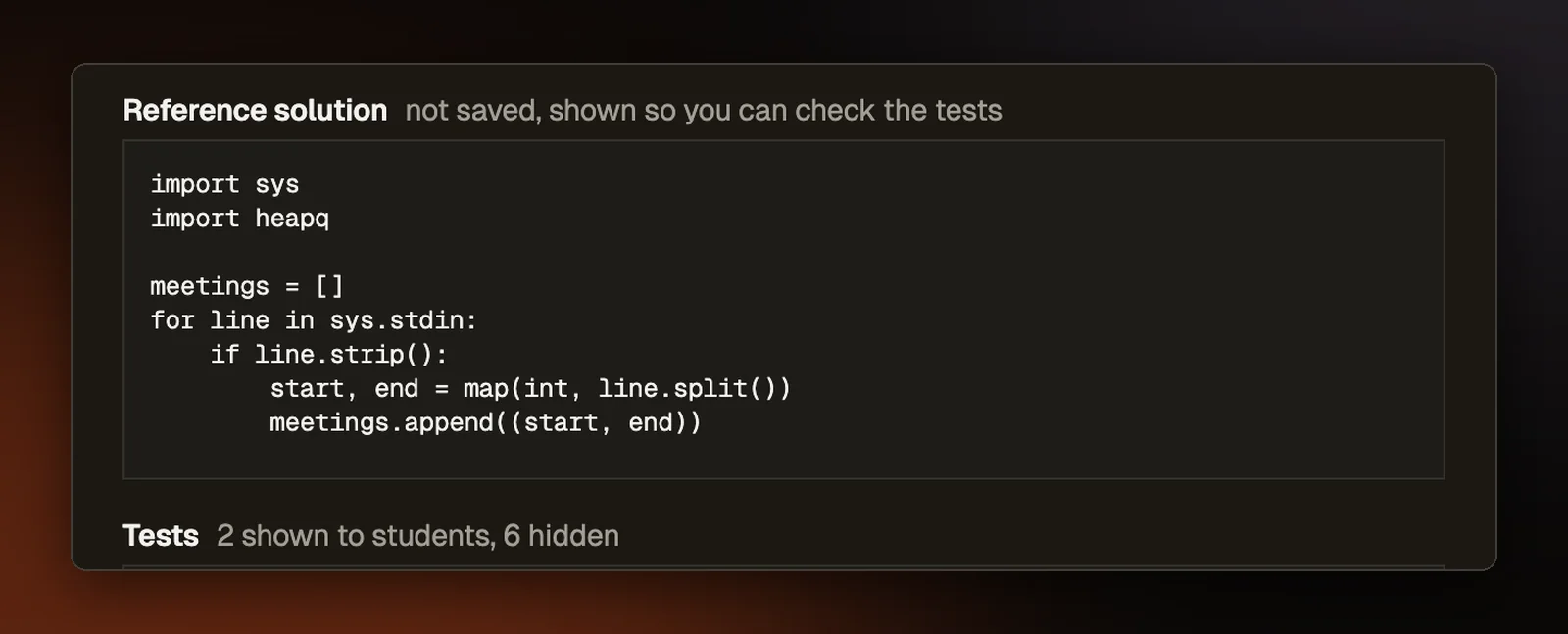
The rubric appears as grading notes for marking by hand. Neither the rubric nor the solution is saved with the problem, and the review screen labels both "not saved." If you want to keep the rubric, copy it before adding the problem. Once added, the problem is an ordinary coding problem, saved and graded exactly like one you wrote yourself.
A draft that cannot be used comes back with the reason, such as a missing reference solution or a handout that runs too long. A draft that reaches review has already passed the same check every coding problem gets when you create the assignment.
Last term's files
You can also attach last term's files and tag each one as a handout, starter code, a solution, a rubric, or something else. The tag is guessed from the filename and can be changed. Word (.docx) files work, as do plain text, markdown, and source files.
The tag decides what the generator takes from each file. A handout sets the writing style, starter code sets the code conventions, and a rubric shapes the new grading notes. An old solution only tells the generator what level of technique you expect. The generator is told never to reuse its code or its approach, because copying it would hand students last term's answer. As with quizzes built from your own notes, the files are read in your browser and only their text is sent.
Students can write just one function
A classroom coding problem normally asks for a complete program that reads its input and prints an answer, and generated drafts always do. When you write a coding problem by hand, you can now check "Students write only a function" instead. Students then write one function, and your own code, called the driver, reads the input, calls their function, and prints what it returns. The tests check that printed output the same way they check any program, so the scoreboard and partial credit work as usual.
The driver is kept private with the hidden tests, where students cannot see it. The form fills in a starting template and shows the file name the student's code is saved under, along with the line your driver should start with. The problem has to be set in one language because the driver is written in one. For now the option works in Python, JavaScript, Java, C, and C++.
On the student's page, a note says to write one function and not to read input or print anything. Run examples is off for these problems, since the page cannot see the driver either. Students check their work with Submit.
Why it matters
Writing the five pieces is the slow part of making an assignment, and the generator takes that on. Checking them is what decides whether grades are fair, so the review screen leaves the checking with the instructor. The educator assistant divides the work the same way, drafting freely while every change to your class waits for your approval.
Problems where students write one function keep an assignment on the idea it is teaching. Reading and parsing input is real work, and in an early course it can take more of a student's effort than the loop or the recursion the assignment is about.
Where it points
Anything that drafts grading material should work like this review screen, showing the instructor exactly what students will be graded against before a single student is graded on it.
Try it on a real problem
Write code, run it against the tests, and see what passes. No account needed.