A Missed Run Says Why
When a Learn lesson run misses, the lesson now says what is different and shows your line over the expected one. Common errors get a plain sentence, and a reload resumes the lesson.
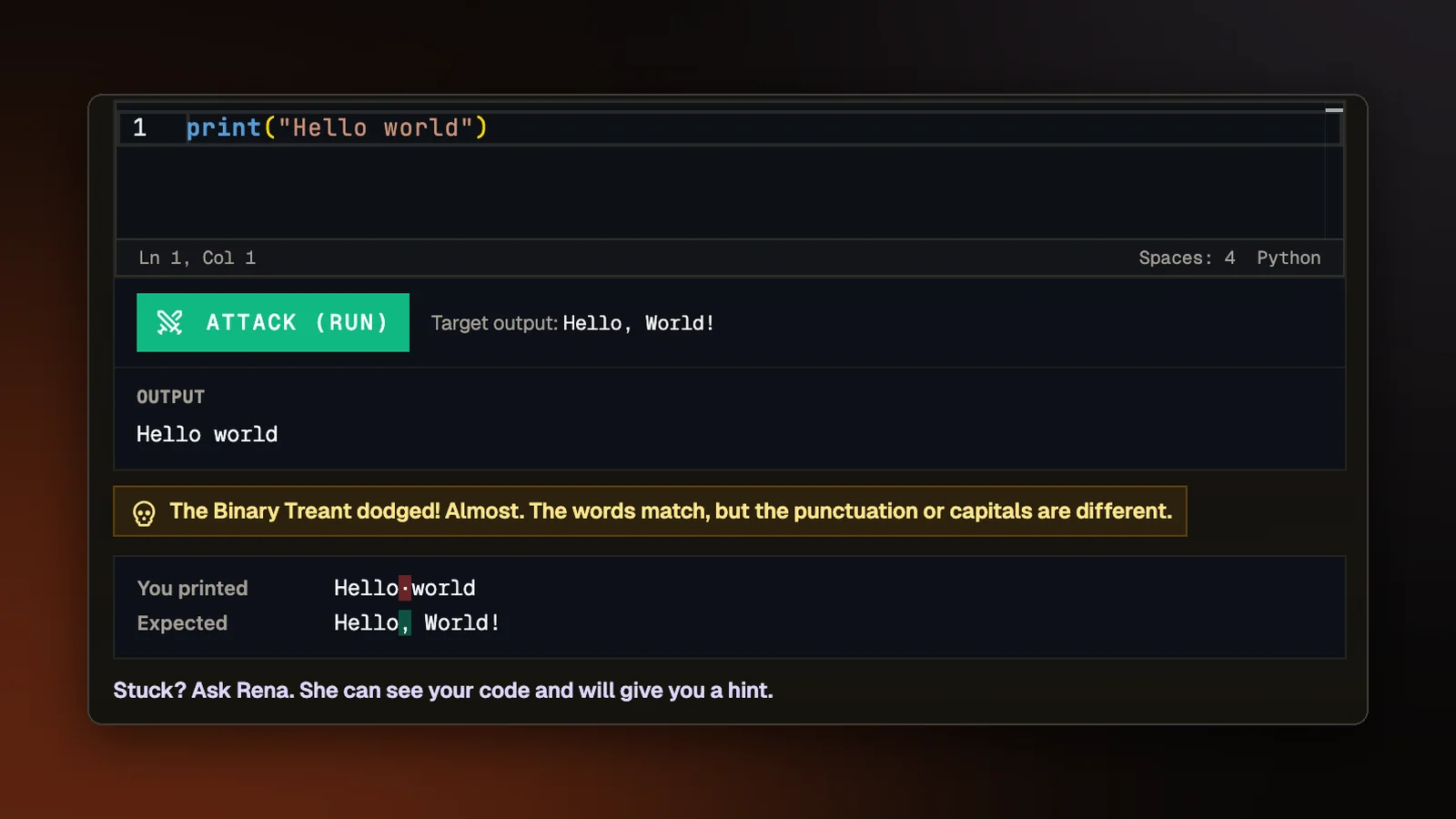
Each step of a Learn lesson is a small fight. You write code and press Attack (Run), and if your program prints what the step expects, you land a hit on the enemy. If it prints something else, the enemy dodges. Until this change, a miss said only "Match the target output to land your hit." Someone who printed Hello world for a step that wanted Hello, World! had to find the comma and the capital W on their own. Missed runs now say what is different, and common errors come with a sentence in plain words.
What is different
When a run misses, the lesson compares what you printed with what the step expects and names the kind of difference. If only the capital letters differ, it says "Almost. The letters match, but the capital letters are different." If only the spaces differ, it says the spaces are different. If the words match but the punctuation does not, it says so. A program that printed nothing gets "Your program ran but printed nothing." On a step that expects several lines, the message names the line that is off, or says that your output stops early and which line is missing.
Under the message, the lesson shows the line you printed above the line the step expects, labeled You printed and Expected, with the first character that differs marked in both. Seeing the two lines one over the other is usually enough to spot a missing comma.
The comparison ignores what the lesson ignores when it decides whether you landed a hit: the kind of line ending your computer uses, spaces at the end of a line, and blank lines at the start or end. A difference that would not cost you the hit is never reported.
Errors in plain words
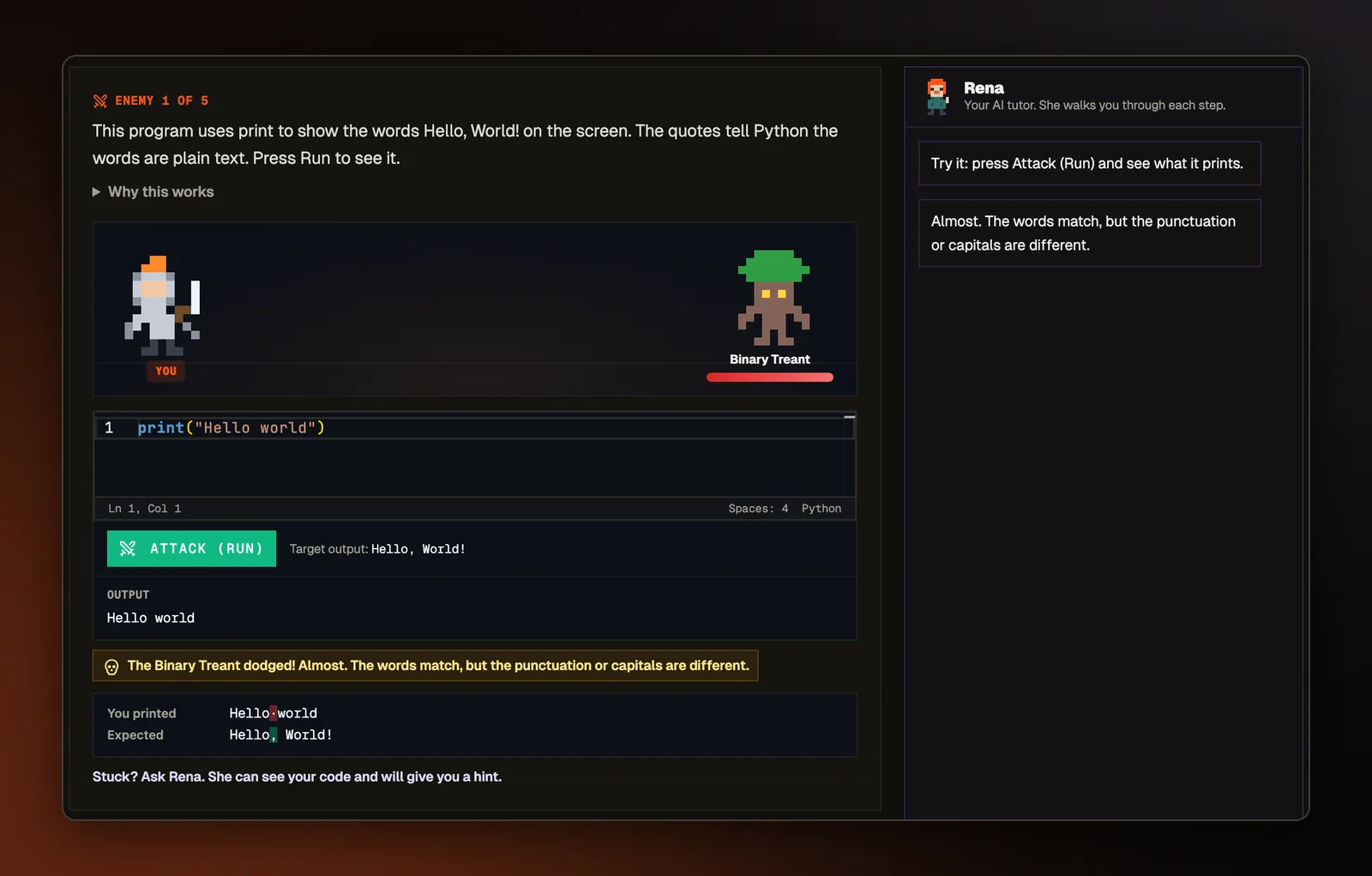
When a run fails with an error, a plain reason in one sentence now sits above the raw error message. It covers the errors beginners hit most:
- a program with no starting point, with what the start looks like in that language, such as
fun main() { }in Kotlin orint main() { }in C - text missing its closing quote
- a name the program does not know, with the name filled in and a reminder that capitals count and that text needs quotes
- a missing semicolon, or a bracket that is opened and never closed
- lines in Python whose indents do not line up
- text and a number joined with +
- dividing by zero, or asking for a list position that does not exist
- a program that runs too long, which usually means a loop that never ends
The raw error stays under the plain sentence, since reading real error messages is part of learning to code. When the lesson does not recognize an error, it adds nothing, because a wrong explanation would do more harm than none. Python lessons run in the browser on a smaller version of Python whose error messages are worded differently, so the matching covers both wordings.
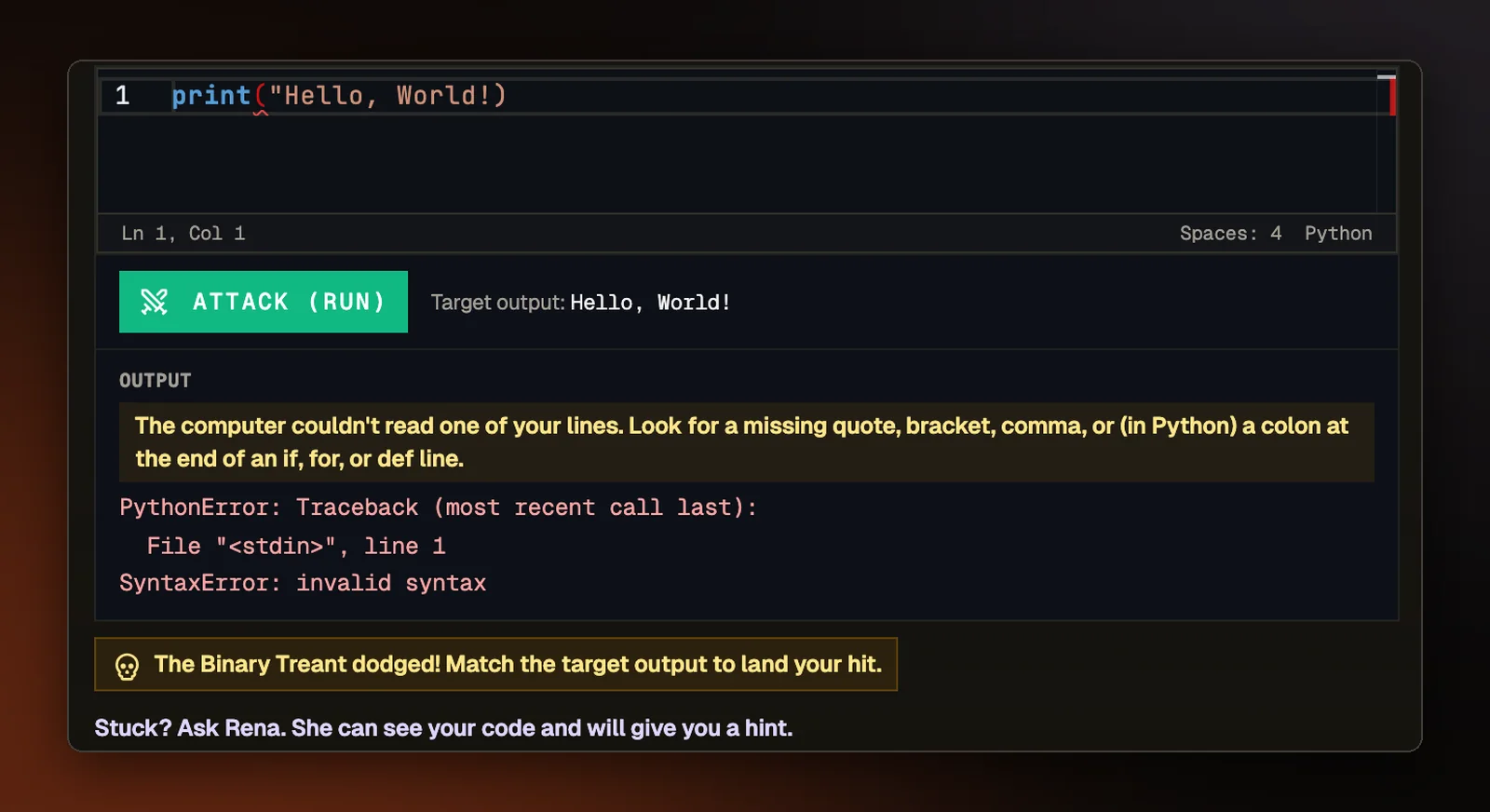
Rena after a miss
Rena, our AI assistant, helps in every lesson but is instructed never to hand over the answer. On a wide screen she sits in a panel beside the lesson. On a smaller screen she waits behind an Ask Rena button under the step, which opens by itself after a missed run.
If you are signed in with an account, she reads your code after a missed run and explains what went wrong without being asked. Without an account, she shows the short reason the lesson worked out. If you run the same code again, she gives that short reason instead of a new answer, so rerunning does not use up the day's free hints.
Each time a step opens, she says what to do next. On an example step, that means running it to see what it prints, and after the examples she tells you to write the next one yourself.
Shorter steps
A lesson step used to open with around 120 words to read before the first run. Steps in all 17 language tracks, and in the technique lessons, now open with a short version of two or three sentences that starts with the task. The full explanation is one click away under "Why this works". A step shows the short version only when every part of it has one, so a step never mixes short and long text.
Picking up where you left off
Reloading in the middle of a lesson used to start it over at 0 of 5 cleared, with a different set of practice rounds. The lesson now saves, in that browser, which practice rounds it drew and how many steps you have cleared. A reload picks up on the step you were on. Finishing the lesson clears the save, so your next visit is a fresh attempt.