
Where You Land Depends on One Question
New learners are now asked how much coding they have done, and the answer decides their first screen. Learn now puts lessons and real problems on one path.
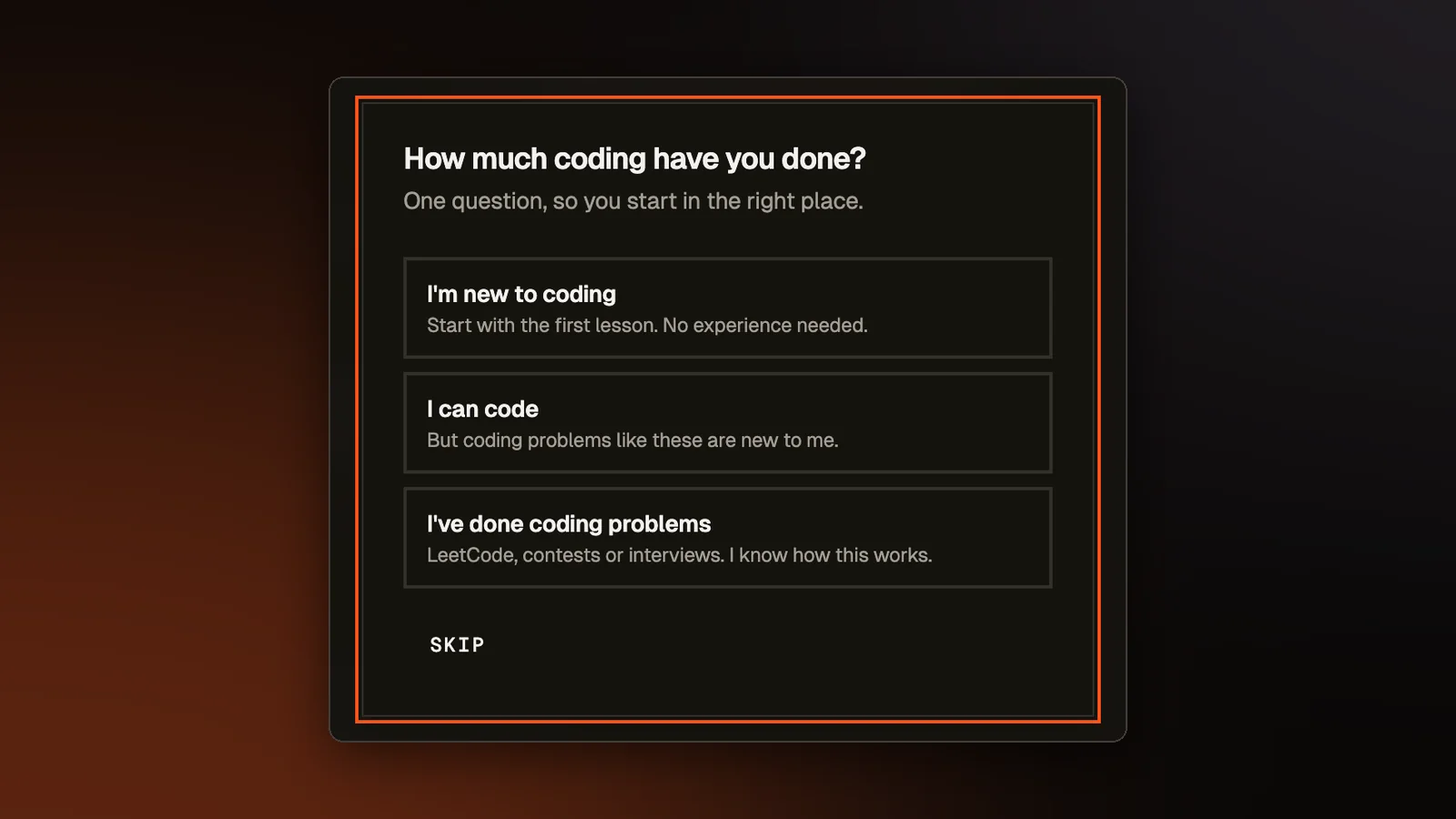
A friend of ours who had never written code clicked into a battle on the site. They did not know what a function was, or that each test case sends it a different input. Nothing on the site had asked whether they could code. Signup had one small checkbox that assumed they could, which guests never saw.
One question, asked once
Everyone who signs up to code, and every guest, now answers "How much coding have you done?" by pressing one of three buttons that start with nothing selected: "I'm new to coding", "I can code" (but coding problems are new to me), or "I've done coding problems". The signup forms ask it, and guests and older accounts that have not solved a problem or played a battle are asked on their first visit. People who already code also pick their language, so the editor opens in it. A beginner starts in Python and is not shown a list of 17 languages they cannot choose between yet.
Each answer starts you somewhere different.
- New to coding: you land inside the first Python lesson, with five short cards that point at the lesson text, the code, the Run button and Rena, our AI tutor.
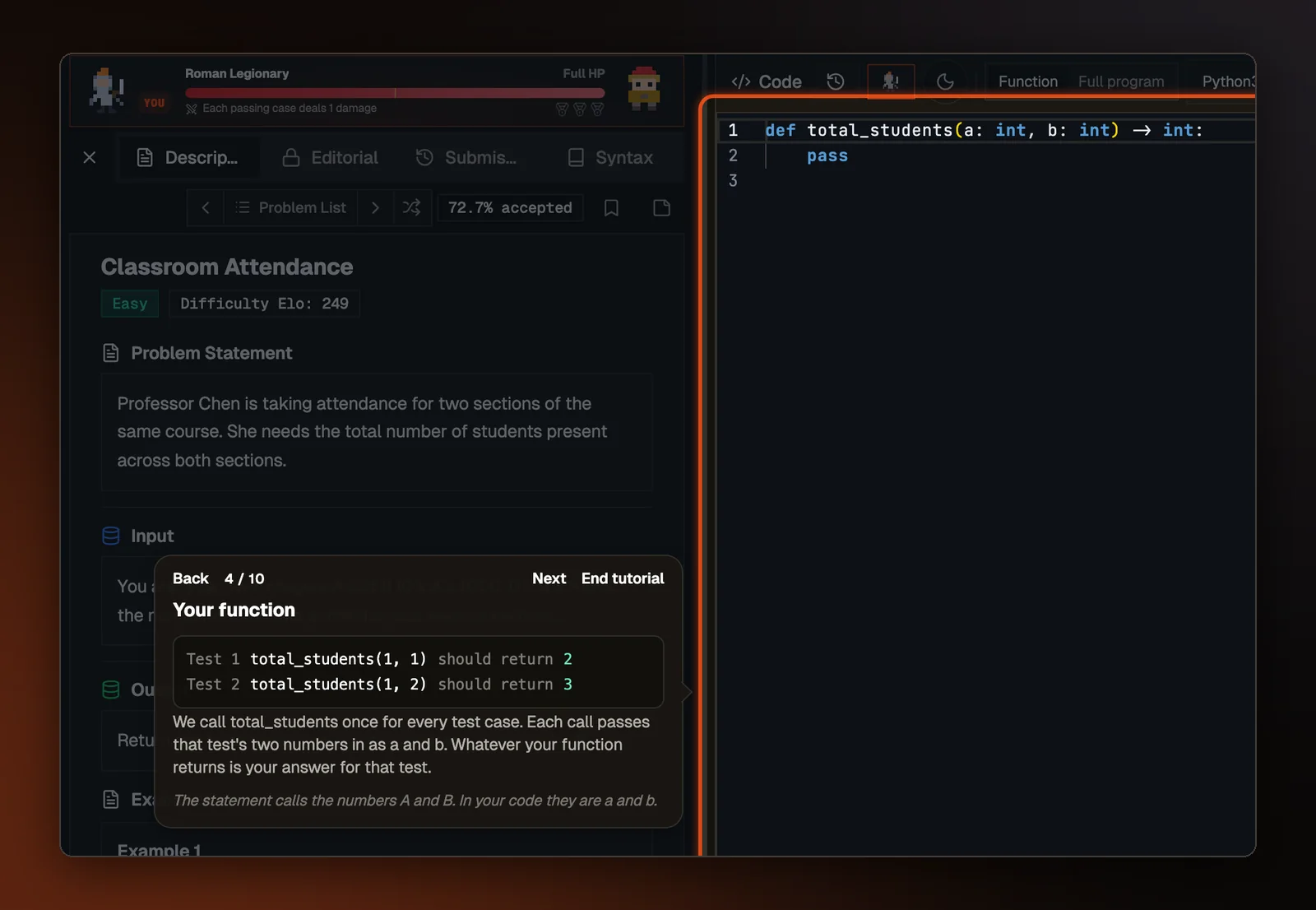
- Can code: you land in "How problems work", a tour of ten steps on a real problem in the real editor. It walks through the statement, the examples, the function the site calls once per test, writing the answer, Run, the results, the choice between Function (you write one function and we pass the input to it) and Full program (you read the input and print the answer yourself), Rena and Submit.
- Done coding problems: you land inside one easy problem, opened straight in the editor. Until October 10 this answer led to the dashboard.
Nothing is locked. If you have not taken the tour and did not say you have done coding problems, your first Find a Match, which starts a battle, opens the tour first, with a way to skip it. The question can be skipped too, which counts as "I can code", so nobody is asked twice.
Lessons and problems on one path
Learn taught the language, and the Lab, our problem library, held the problems, with nothing joining the two. Someone could finish every lesson without ever seeing a test case. The Learn page now shows one path: a lesson, then three real Lab problems that need only what the lessons so far have taught, then the next lesson. The "How problems work" tour sits right before the first problem set, which is when it is needed.
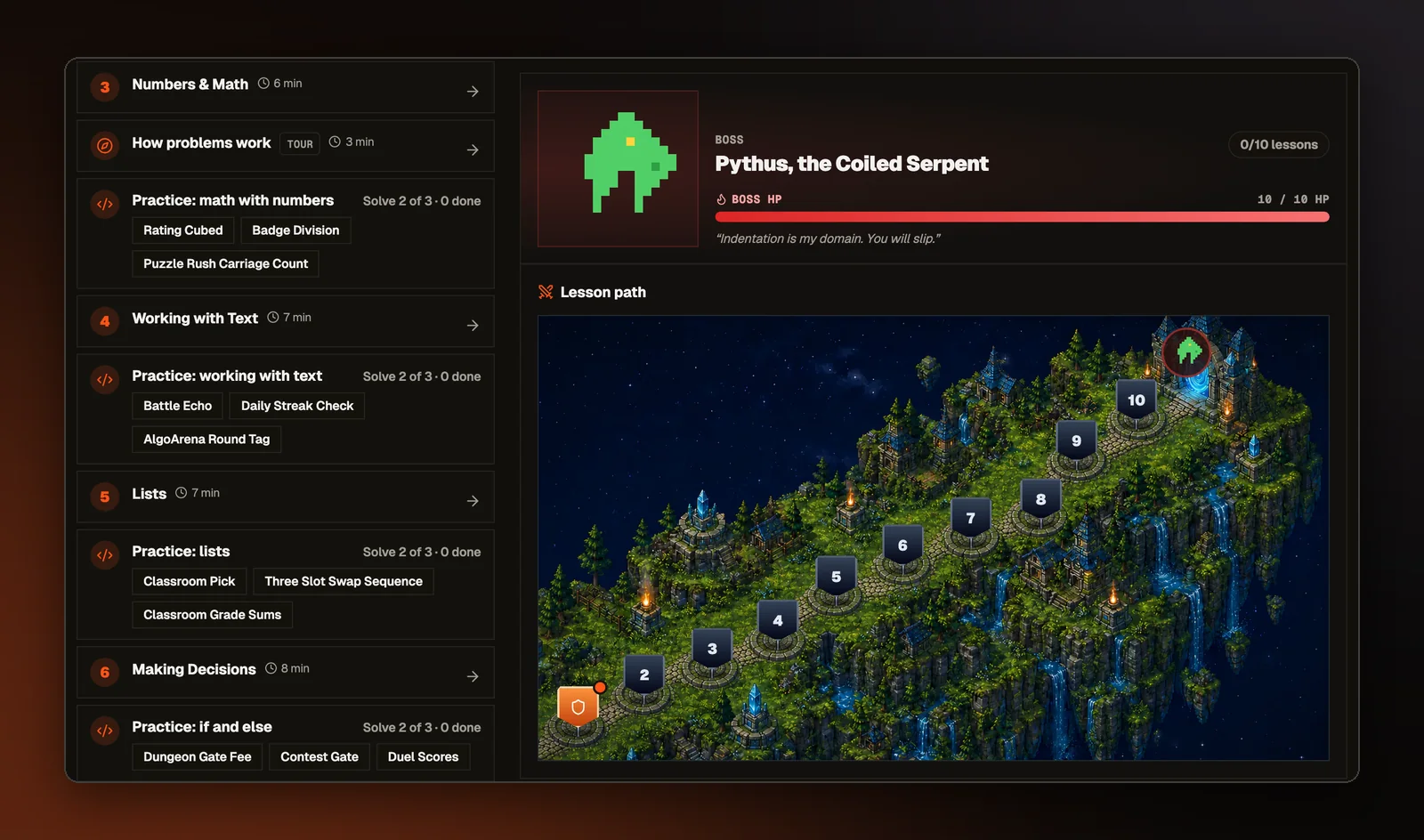
For someone who said they are new, the path opens one step at a time, and solving two of a set's three problems opens the next step. A lesson they already know can be skipped by passing its final exercise, and a link reading "I have coded before, open everything" opens the whole path. The path ends at the Lab's skill tree, where practice branches by topic.
We picked each problem for the Python lessons and checked its solution against the problem's real tests, using only what those lessons had shown by that point. The problems work in any language, but whether a beginner can solve one depends on what that language's own lessons have covered. So we ran the same check for the other 16 languages, writing each solution with only that language's lessons. A language's path shows only the problems that passed and opens them in that language. Where a language came up short, we added examples to its lessons, such as taking a remainder and keeping a running total, and opened more problems once they passed the same check.
Python also has a new lesson, Reading Input, after Loops. The other ten Python lessons only print values typed into the code, so someone who finished them had never read a line of input. Like the rest of the Python lessons, it runs in your browser and needs no account.
Lesson progress is saved to your account as well as your browser, so a path you are partway through is still there on another device.
Help at the moment you get stuck
Rena now sits beside every lesson from the first step, and anyone with an account can ask her for a hint. She used to appear in a lesson only after a run had failed. Before you have run anything, she explains what the step asks. After a failed run, she says what went wrong and asks you a guiding question, without writing the fix for you.
A failed run in the Lab now shows a bar that reads "Stuck? Ask Rena. She can see your code and the test that failed." Guests see a button to make an account instead, and once you have asked Rena something, the bar goes away for that problem.
Short tours on new screens
The Lab, Puzzle Rush and a first battle each have a tour of three or four cards. Each tour shows once, only to someone new to that screen. The cards never block the page, which matters most in a battle, where the tour appears during a live match. Screens that are only a list, such as the leaderboard, get no tour, because a tour with nothing to explain teaches people to skip tours.