
A Turn That Says What It Did
The rows in an agent's turn now say what is running and stop repeating each other, in assessments and in Builder. A failed reply also shows a short ID you can send to support.
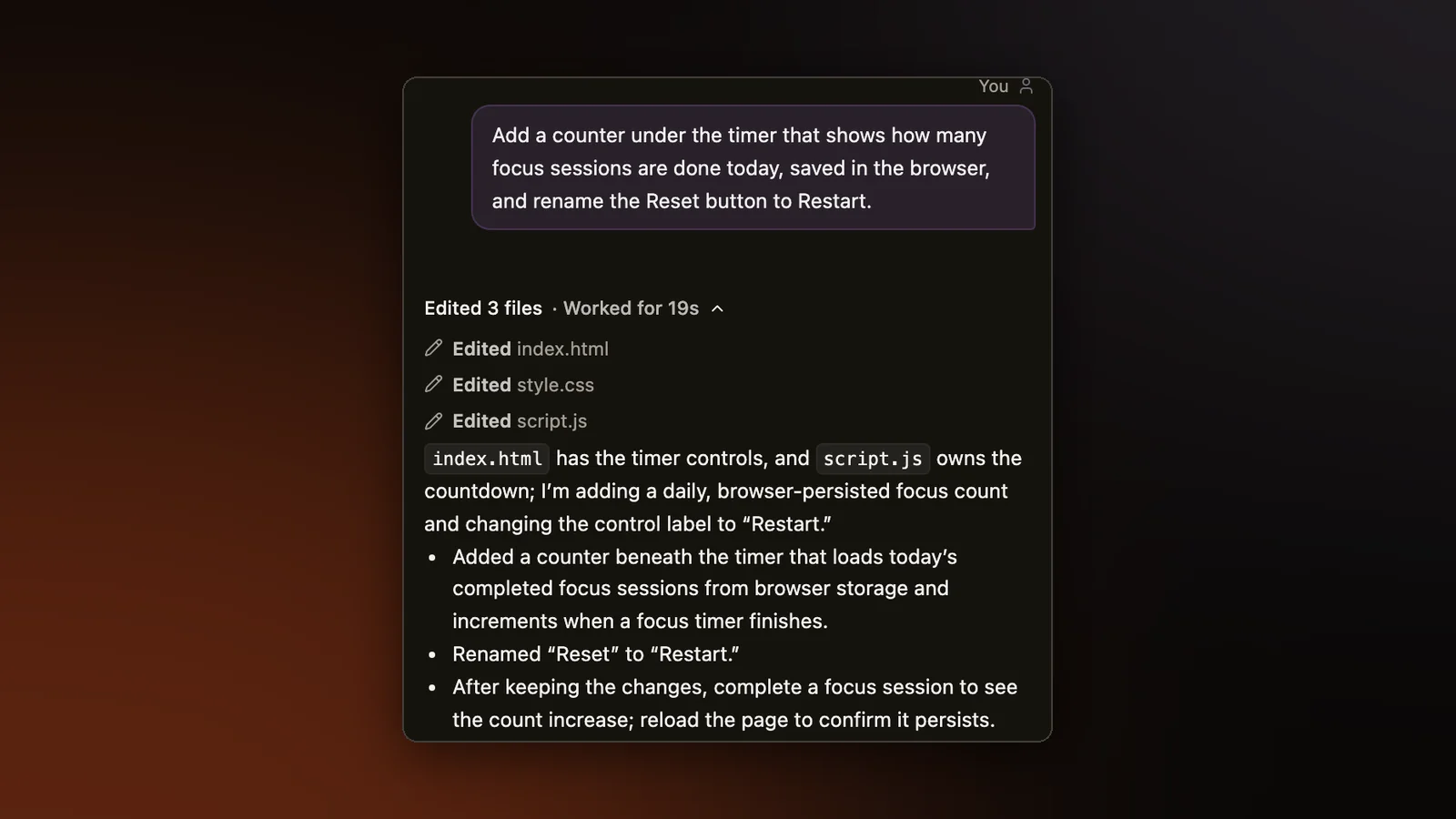
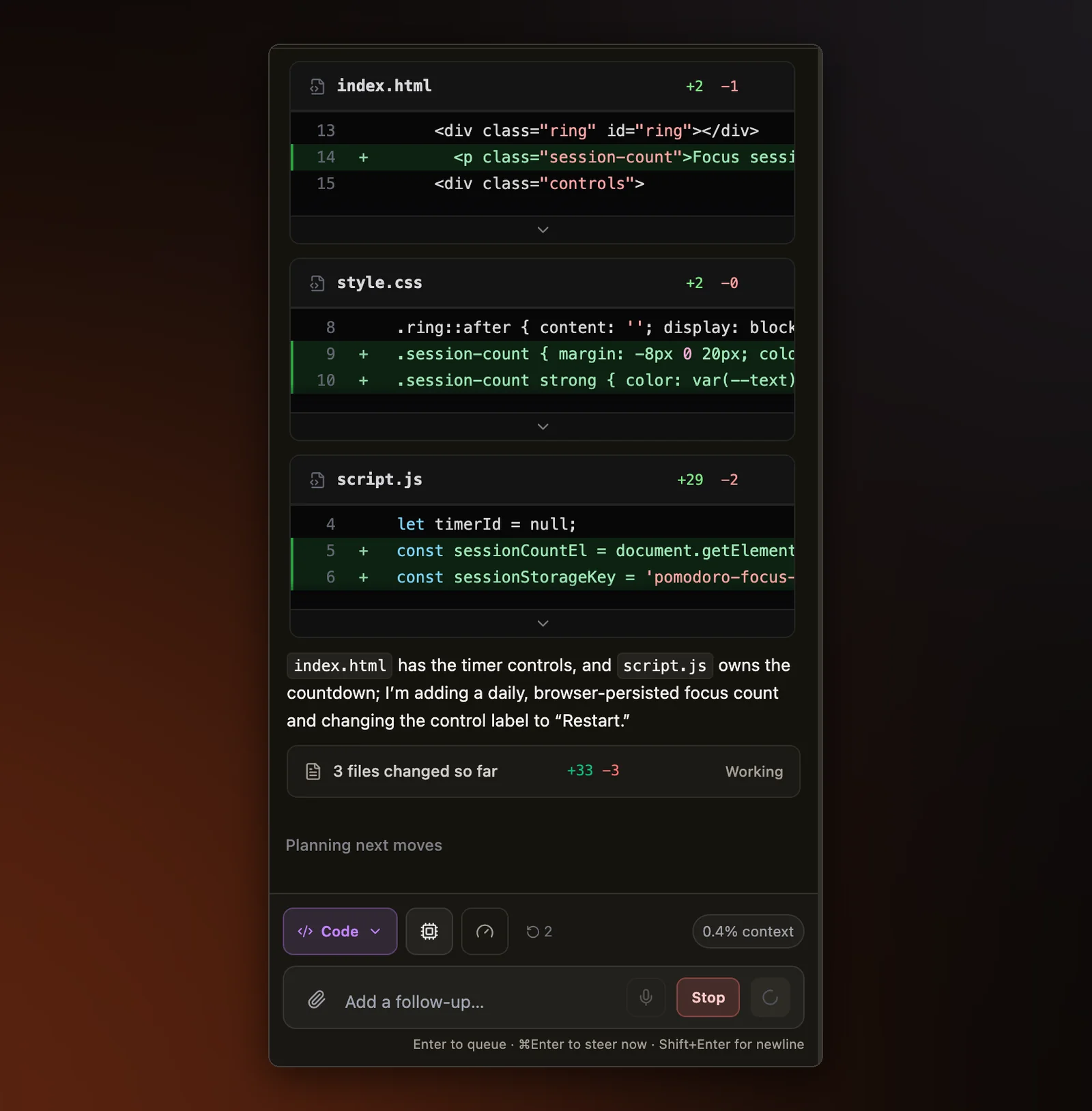
When an agent works on your code, everything it does in reply to one message shows up as a turn: rows for its thinking, the files it reads, the commands it runs, and the changes it makes. You watch those rows appear as it works, and in an assessment a reviewer reads them later. A round of fixes made each row say plainly what it is and stopped the same thing from showing up twice. Assessments and Builder share one agent panel, so every fix below applies to both.
One thinking row
An agent often answers in several passes, reading a few files and carrying on once their contents come back. Each pass used to get its own thinking row, so one reply could show "Thought for 2s" near the top and "Thought for 3s" further down, as if the agent had stopped and started over. A turn now has one thinking row that sits where the thinking began, adds up the time, and stays animated while the last pass is still thinking.
Rows that name what is running
A row for a shell command, a test run, a web search, or a page fetch used to show only a generic label such as "Running command" for as long as the call ran. It now names what is running, whether that is the command, the search query, or the page address, as soon as the agent has written it out. A file still being written gets the same kind of row as the file reads above it, where before it looked like a sentence in the reply.
A rename says Renamed, with the old and new names, where it used to be a generic "Processed" row with both names run together. Clicking the name in that row opens the file under its new name, and the one-line summary a finished turn folds into counts renames as edits. That summary line also shows how many lines the turn added and removed, so the row underneath no longer repeats those counts.
A diff that touches one file used to stay open for good, so three turns that each changed one file left three full diffs stacked down the panel. Those diffs can now be folded shut, the same as a diff that touches several files.
Stopping, and failing clearly
A running turn now shows one Stop button, in the message box. The strip of changed files just above it had a second one that did the same thing, so it was hard to tell which one to press. Rena, our AI assistant, can now be stopped mid-reply in every chat on practice and classroom pages. The part of the reply that already arrived stays on screen, and a stop is not reported as a network error.
A failure notice usually ends with advice to retry or pick another model. That advice used to stay up after you followed it, sitting above a newer failure from the model you had just switched to. Once a newer reply sits below it, the old notice drops the advice and keeps only what went wrong. If a later reply came through, the notice says so. A failed reply also shows a short error ID that copies with one click, and if you put it in a support message we can find that turn in our logs.
Edits written as text, and cut-off files
Sometimes a model writes a file edit out as plain text in its reply instead of actually making it, so nothing changed and the chat showed raw markup. Those edits now go through with a diff card like any other, and the markup is hidden in the chat and in replay.
When a reply hits its length limit partway through writing a file, the part already written now comes through as its own edit, and the agent is asked to continue from the last line it wrote. Before, that write could vanish or land cut off with nothing saying so. Other fixes that keep the chat and the files in agreement are in The File the Agent Describes Is the File You Get.
The Agents window
The Agents window, where several agents work side by side in separate lanes, got the same cleanup as the main Editor chat. A live row naming a file no longer sits above a second animated line saying "Making changes". In an assessment, the window now opens beside the problem panel instead of taking its place, so the question stays in view. When the window's own lanes have no work yet, it opens on the conversation you had open in the Editor, and switching back to the Editor lands on that same conversation. An Editor conversation you are watching from the Agents window can also be stopped from there, where before the only Stop for it was in the Editor.
Why it matters
Replay draws a session with the same components the candidate used, so a reviewer reads the rows the candidate saw. A vague or doubled row costs the person at the keyboard a moment of doubt about what is running. A reviewer who meets it days later has nobody to ask, which is why the agent editor is built to be read twice.
Try it on a real problem
Write code, run it against the tests, and see what passes. No account needed.