
Homework Gets a Check for Similar Code
The grades page for a coding assignment now lists students who handed in nearly the same code, marks unusual hand-ins for the teacher to review, and opens each student's AI conversation.
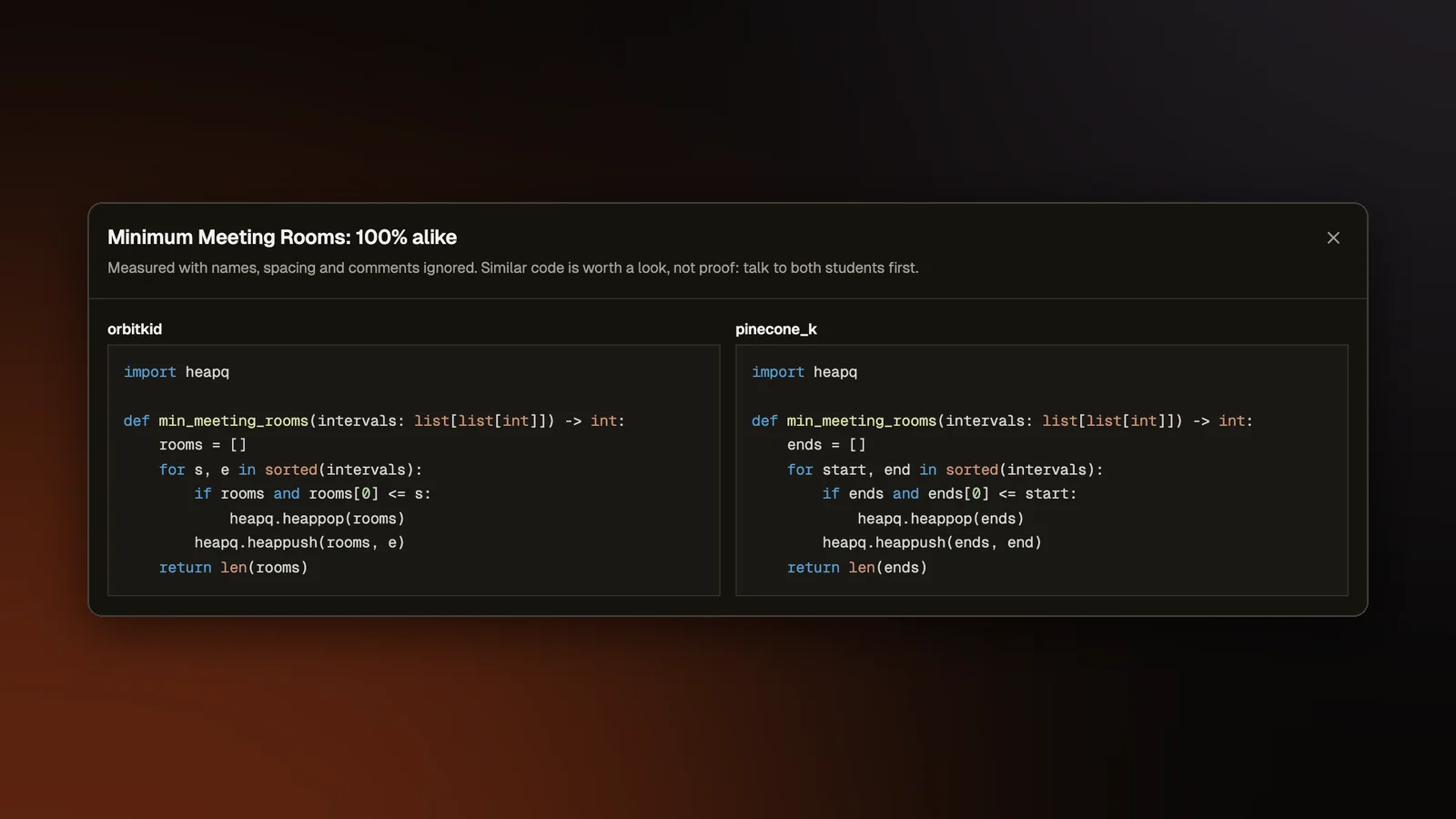
A score on a coding assignment leaves a teacher with questions the number cannot answer. Did two students hand in the same program? Was the code written in the editor or pasted in from somewhere else? When a student asked Rena, our AI assistant, for help, what did they ask and what did she say? The grades page for an assignment now helps with all three. It points the teacher at what to look at and leaves every decision to them.
Similar code
The grades page has a Similar code panel. It compares each student's best hand-in on each coding problem with every classmate's and lists the pairs whose code is very alike, with a percentage for each pair. Clicking a pair opens the two programs side by side. The check runs by itself once the due date has passed. A Check now button runs it any time before that.
The comparison ignores comments, spacing, and the names of variables and functions, so renaming every variable does not hide a copy. It uses the same method as our hiring assessments.
Three rules keep it from flagging honest work. Starter code is removed first, so the lines everyone was given never count toward a match. On a problem where students wrote only a few lines, everyone writes nearly the same thing, so the panel skips it and says it was too short to judge. When most of the class wrote nearly the same answer, the panel says so for that problem and flags nobody, since that usually means the problem has one natural solution.
A pair that is close to identical also puts a Needs review badge on both students' cells in the grades table.
Needs review
Needs review can also come from how a hand-in was written. Each assignment coding problem keeps a short work history that never includes the text the student typed. It records when the student opened the problem, how long they spent editing, how many characters they typed, the size and time of each paste from outside the editor, and each run or submit with how many tests passed. The history is kept by the browser the student works in, so work done on another computer is not part of it.
A hand-in gets Needs review, with the reason written in numbers, when most of its code arrived in pastes, when one paste brought in most of the answer soon after the problem was opened, or when a lot of code appeared with almost no typing or pasting behind it. Moving code around inside the editor, or pasting from the problem statement, does not count as outside help.
Only the teacher sees Needs review. It sends the student nothing and leaves the grade alone. The teacher opens the work history as a timeline, then marks the hand-in Cleared, which hides the badge, or Concern, which turns it red. If a later hand-in brings a new kind of reason, the badge comes back for another look. The badge never says "cheating", because even the best tool we found in our research is wrong on about one flag in seven.
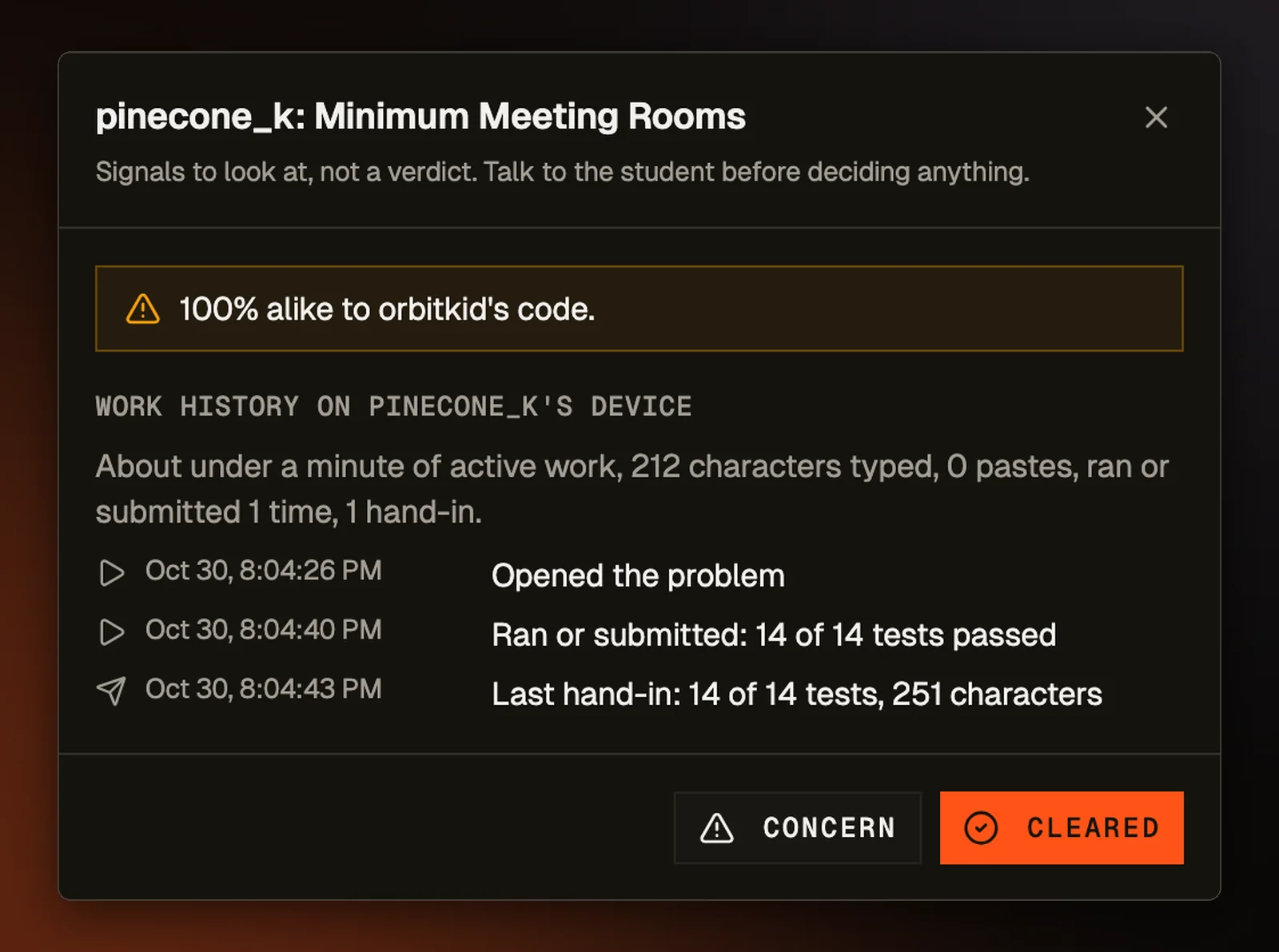
Students are told what is kept, in a line on every assignment coding problem that reads "Your teacher can see when you worked on this, your runs, and how much code was pasted in. Never what you typed." The reasons and the teacher's marks are kept on our server where students cannot read them. Only the class's teacher can load them.
Reading the AI conversation
When an assignment allows Rena hints, each cell in the grades table now shows how many hints the student used on that problem. On a Build with AI problem, where the student makes an app with an AI agent, it shows how many prompts the student sent to the agent. Clicking the count opens the whole conversation, with the time of each message. When the teacher opens a build the student handed in, the agent chat also appears beside the student's files, so the teacher can read the requests next to the result.
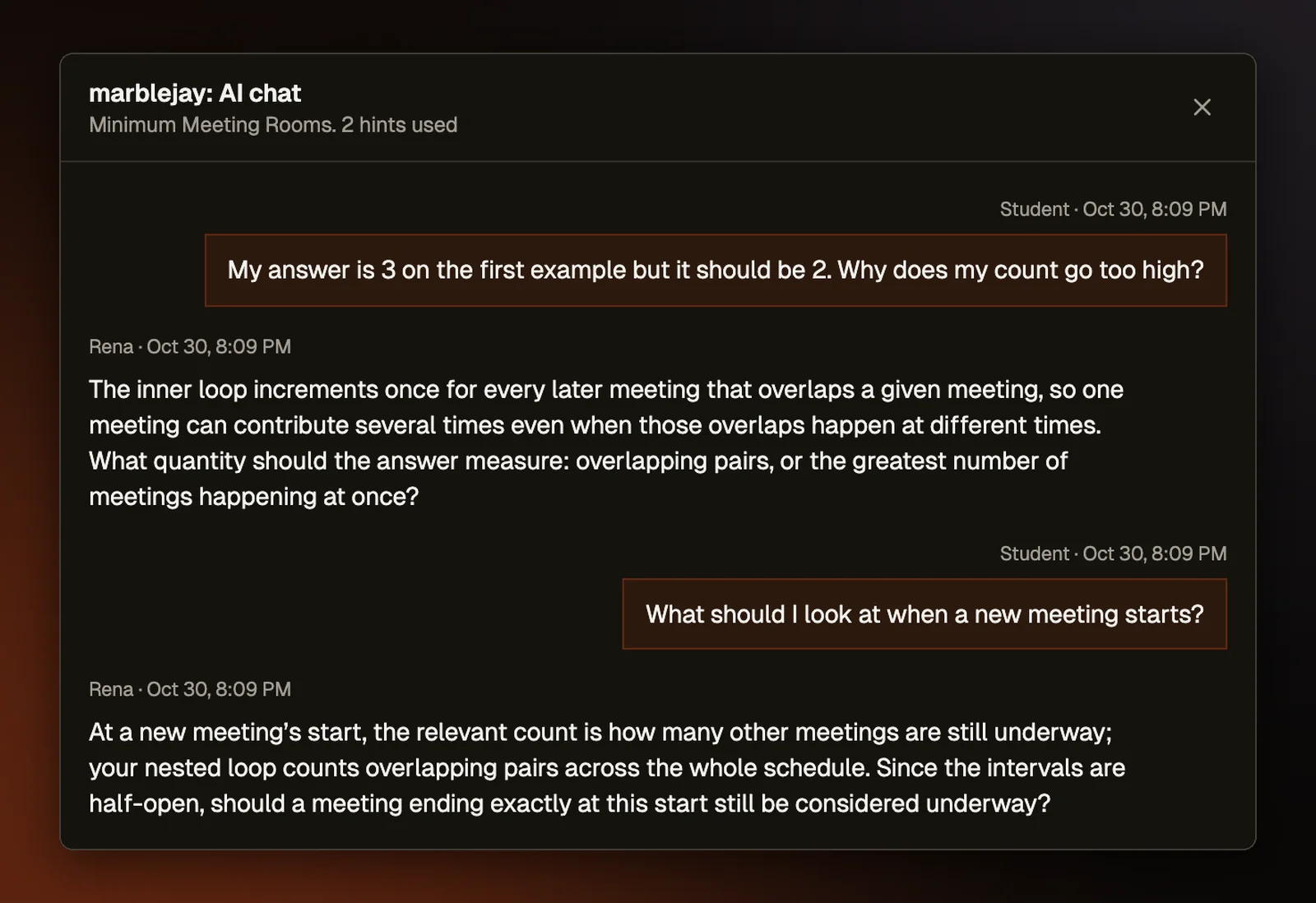
Hint conversations are now saved one hint at a time. Before, a reload or a long chat could overwrite the saved record and lose earlier hints. Build chats are saved from the student's page each time a reply finishes.
The hint panel and the build chat both tell students "Your teacher can see this conversation." Only the class's teacher can open these conversations. Other students and other teachers are refused.