 AlgoArena Team 4 min read
Orgs, Licenses, and Rolling Out a Classroom Program
A lightweight playbook for departments adopting a shared platform: roles, redemption flows, and what to pilot first.
Department-wide tools fail for boring reasons, like unclear ownership, mystery roles, and redemption flows that confuse TAs two days before the term starts.
Start with one pilot course
Pick a section with an instructor who likes feedback, then run two session types.
- A low-stakes practice arena
- A higher-stakes quiz with the real roster rules
Collect failure modes from students, not only from staff.
Roles should map to real life
Someone needs to be able to invite TAs, revoke access, and audit who saw what. If your org cannot answer "who is admin?" in one sentence, you will pay for it in email threads.
This sounds bureaucratic until the term starts. The week before classes is exactly when a TA needs access, a roster changes, or someone has to revoke a student who dropped, the worst possible moment to discover nobody knows who can do it. Decide ownership while it is calm. Rollouts rarely die from a missing feature; they die from one unanswered "who is allowed to do this?" two days before the deadline.
Redemption and onboarding
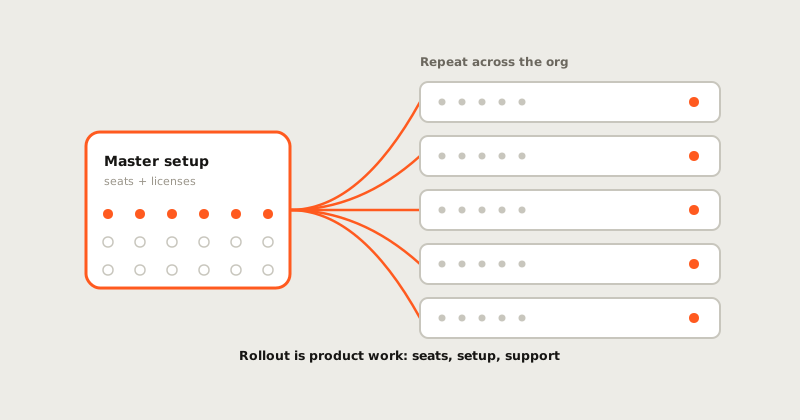
If your school buys seats in bulk, assume people will try to redeem codes on the wrong account. Provide:
- a clear recovery path
- a short doc for IT
- a single internal owner who can escalate
Metrics that matter early
- Time-to-first-successful-session (students and instructors)
- Support tickets per 100 users
- Repeat usage in week two (signal of habit, not novelty)
Scale what survives contact with reality.
Current classroom plans live on Classroom and Classroom pricing.
How to read this update
The important question is not only what shipped. It is what new evidence the product can now preserve. For classroom work, a useful release should make the next session easier to understand: what happened, why it mattered, and what someone can do with the result afterward.
That is the bar we use for field notes. A feature is stronger when it turns a hidden process into something reviewable: a timeline, a report, a map, a score explanation, a replay, or a teacher-facing control. The surface can stay simple, but the evidence behind it should get harder to hand-wave.
What to watch next
The next pass should keep tightening the connection between the public story and the product artifact. If a learner reads a note about practice, they should be able to find the loop in the product. If a teacher reads about classroom control, the setting should be visible. If a hiring team reads about assessment evidence, the report should show the trail.
That is a lesson worth borrowing from the strongest developer tools without copying their design: the best content feels like product memory. It does not decorate the roadmap. It makes the product easier to trust.
Why it belongs in the product story
This update matters because it connects a product surface to a trust surface. The feature is not only a nicer screen; it helps someone understand the work later, whether that person is a learner reviewing a mistake, an instructor debriefing a room, or a hiring team reading an assessment artifact.
That is the standard these notes should keep meeting. If the product claims to measure skill, the public story should keep pointing at the evidence that makes the claim inspectable.