 AlgoArena Team 4 min read
From Quiz Builder to Community: Shareable Classrooms at Scale
How educators can author quizzes, preview them with students in mind, and share links without losing control of visibility.
Authoring a live coding quiz is closer to designing a lab than writing a slide deck. You are balancing difficulty curve, time per question, and how much scaffolding students see.
Preview like a student
Before you ship a session to a class, run through it as if you have never seen the prompts:
- Are instructions unambiguous?
- Do examples cover tricky boundaries?
- Is the first question a confidence builder?
The reason to preview cold is the curse of knowledge: once you know the answer, you cannot un-know it, and every instruction reads as obvious. Students do not have that context. The ambiguous phrase you skim past is the one that strands a quarter of the room on question one. Reading your own quiz as a stranger is the cheapest way to catch that gap before thirty people hit it live.
Visibility is a teaching tool
Public quizzes can inspire remix culture across sections. Private quizzes protect exam integrity. The best platforms make the choice explicit and easy to toggle, so you do not accidentally publish something meant for a final.
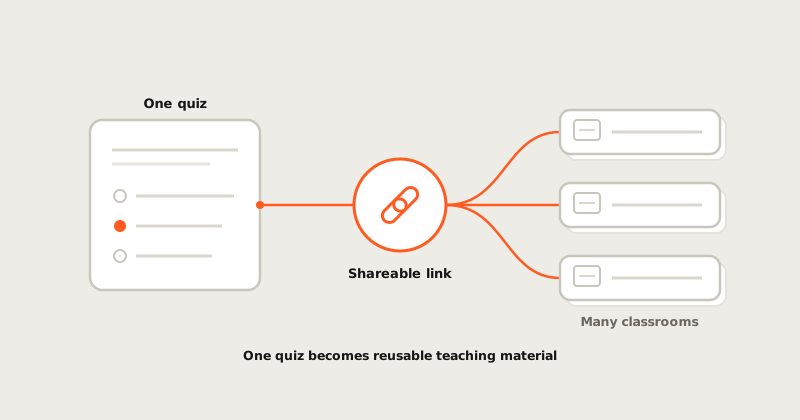
Shareable links should reduce email ping-pong
A good share flow answers: who can join, what account they need (if any), and what happens if they arrive late.
If you teach multiple sections, treat share links like release artifacts: version them, name them, and keep a changelog for yourself.
If you are iterating weekly, keep a personal library of "warm-up" tasks separate from "exam-grade" tasks. Mixing them by accident is a classic foot-gun.
When you are ready to author, use the classroom quiz builder.
How to read this update
The important question is not only what shipped. It is what new evidence the product can now preserve. For classroom work, a useful release should make the next session easier to understand: what happened, why it mattered, and what someone can do with the result afterward.
That is the bar we use for field notes. A feature is stronger when it turns a hidden process into something reviewable: a timeline, a report, a map, a score explanation, a replay, or a teacher-facing control. The surface can stay simple, but the evidence behind it should get harder to hand-wave.
What to watch next
The next pass should keep tightening the connection between the public story and the product artifact. If a learner reads a note about practice, they should be able to find the loop in the product. If a teacher reads about classroom control, the setting should be visible. If a hiring team reads about assessment evidence, the report should show the trail.
That is a lesson worth borrowing from the strongest developer tools without copying their design: the best content feels like product memory. It does not decorate the roadmap. It makes the product easier to trust.
Why it belongs in the product story
This update matters because it connects a product surface to a trust surface. The feature is not only a nicer screen; it helps someone understand the work later, whether that person is a learner reviewing a mistake, an instructor debriefing a room, or a hiring team reading an assessment artifact.
That is the standard these notes should keep meeting. If the product claims to measure skill, the public story should keep pointing at the evidence that makes the claim inspectable.