
A No AI question nobody can look up
A No AI algorithm question can now come from a private pool of tested problems that are not on our practice site, drawn at random for each participant. Reports also flag answers that were typed the way people copy code.
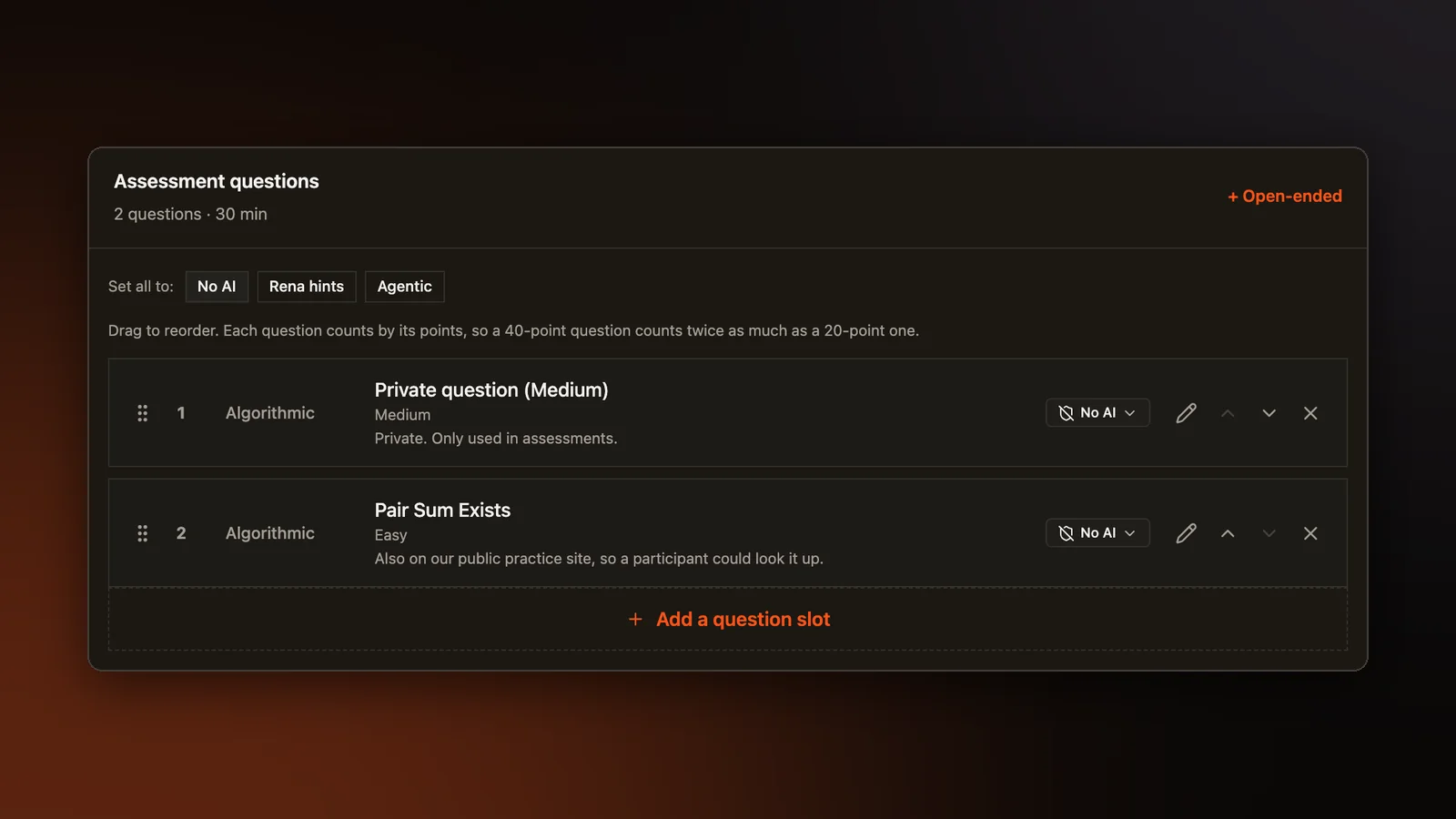
On a No AI question, the participant writes code with no AI help. Many of these questions are algorithm problems from our library, and that library is also our public practice site. A participant who knew this could search the site for the problem's title and find its statement and its discussion. Two friends who took the same assessment could also pass an answer along. We made two changes for this, and a third for questions that ask a participant to rebuild an app.
A private pool
We took 200 tested problems off the public practice site and gave them new titles. The pool has 80 easy, 80 medium and 40 hard problems, and they are now used only in assessments. An organizer who adds a No AI algorithm question from the pool picks a level. When a participant starts, they get a problem drawn at random from that level, so friends who took the same assessment most likely had different problems. Points and time come from the level, so every participant's total is out of the same number whatever they draw.
The question builder now labels each question. A pool question reads "Private. Only used in assessments." A problem picked from the public library reads "Also on our public practice site, so a participant could look it up." The report and the results download both name the problem each participant drew.
Assessment Copilot, the AI that helps organizers build assessments, now uses the pool too. When it adds a No AI algorithm question, our server saves it as a private question at its level, both on the approval card and when the assessment is created. This no longer depends on the Copilot following an instruction. A problem the organizer picks by hand in the question picker stays as picked.
Answers typed like copying
Some tools show an AI's answer on an overlay that screen sharing and browser checks cannot see, and the person types the answer in by hand. Typing from something you are reading tends to look different from writing your own code. The speed stays even, almost nothing gets deleted, there are few pauses to think, and the code goes straight from the top down.
Reports now flag an answer typed that way on No AI and Rena hints questions. The check reads the editor changes that every assessment page already records for the replay, so nothing new is collected. Short answers are never checked, and neither are questions with an AI agent, where the agent writes the code.
A flag is for a person to review. It links to the moment in the replay where that stretch of typing began, so the reviewer can watch it. It lowers the integrity score the way the other signals do, but it never changes a question's points and never rejects anyone. Our page on proctoring lists this check with the other signals.
Rebuilding a sample app
Some questions show a sample app and ask the participant to rebuild it. The starting question sets for frontend and full stack roles now include one of these. Pasting or dragging in the sample app's code, copied from the browser's developer tools, is now blocked everywhere on the assessment page, including the code editor, the AI chat and the terminals. A blocked attempt still shows in the replay, so the reviewer can see it was tried.
Open a sample report
A finished participant report with five skill scores and the full session replay. No account needed.