
Assessment results reach your own systems
Owners and admins can now read assessments and results through an API, get a webhook when something happens, and connect Greenhouse, Lever or Ashby so each graded result lands on the candidate's record.
A hiring team usually tracks candidates in an applicant tracking system (ATS) or in tools of its own. Until this change, getting a result out of AlgoArena meant opening the report or downloading a file. A workspace can now send results where the team already works, through an API, through webhooks, or through a direct connection to Greenhouse, Lever or Ashby.
An API for assessments and results
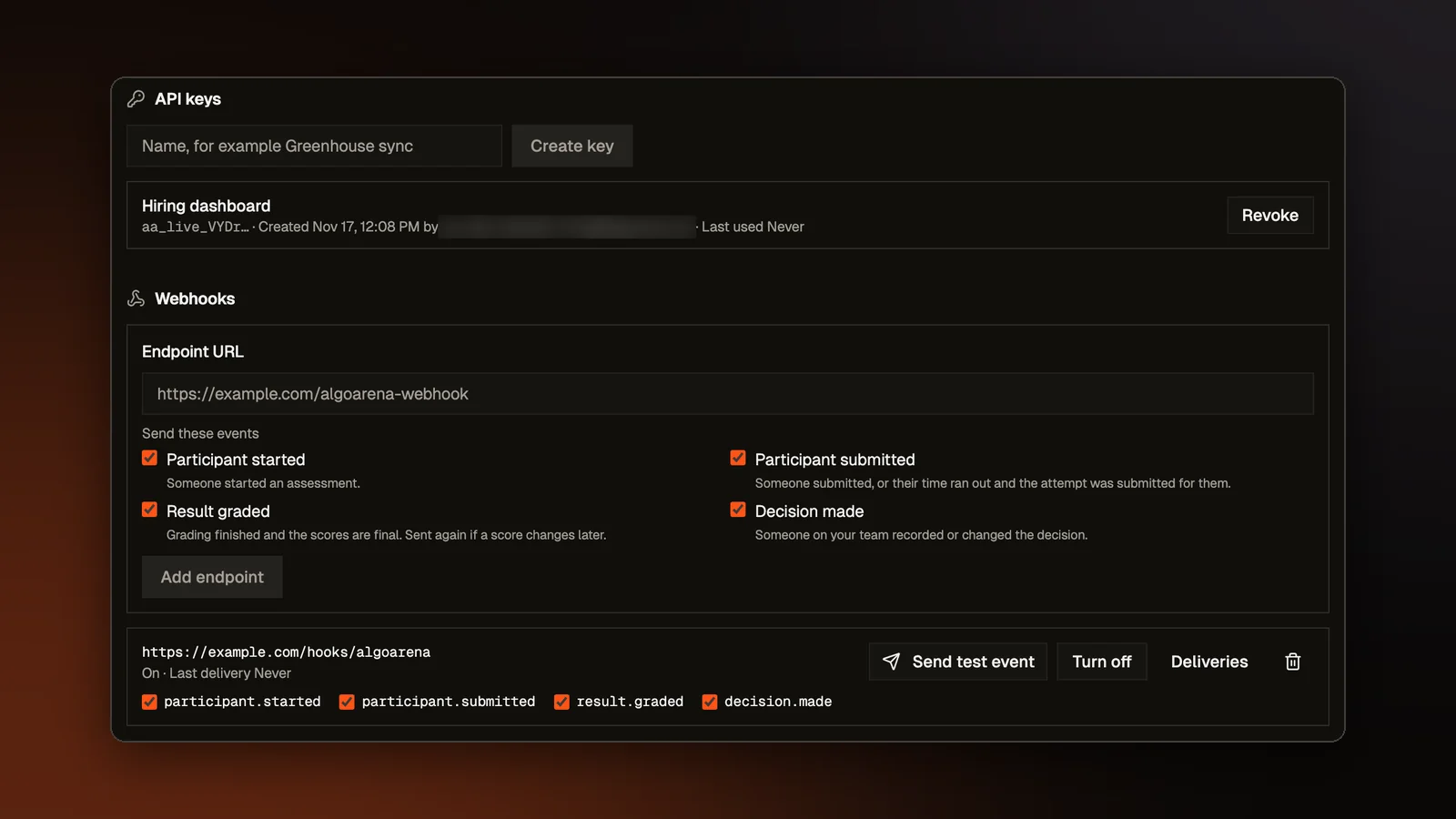
An owner or admin of a workspace can create API keys under Settings, in API and webhooks. A key is shown once, when it is made. We store only a fingerprint of it (a hash), so the key cannot be read back from our records. A key can list the workspace's assessments, list results and read a single result. Only owners and admins can create or revoke a key, and a key keeps working when the person who made it leaves the team.
A result carries the participant's name and email, their points, the five skill scores and AI fluency, the integrity flags, the team's decision and a link to the report, which opens only after a sign-in. A result never carries code, AI chats, the replay, webcam or ID photos, notes, or the participant's rating of the assessment. On a training assessment, each skill comes as a level and the numbers stay out, as on every training report. The API documentation describes each call, its page sizes and its rate limits.
Webhooks
A webhook is an address on your own server that we call when something happens. An owner or admin can add one and pick any of four events: a participant started, a participant submitted, a result was graded, and a decision was made. A graded event is sent again if a score changes later, and a Send test event button checks the address.
Each call is signed with a secret that only the workspace and AlgoArena know, so your server can check that the call came from us. The secret, like a key, is shown only once when it is made. A call that fails is tried again on a schedule that runs for about a day, so an address that is down overnight still gets the event. Each webhook keeps a log of its recent calls and how they went.
Greenhouse, Lever and Ashby
On the Integrations page, an owner or admin can connect Greenhouse, Lever or Ashby. Each connection uses a credential the customer creates in their own ATS, so no approval from the ATS company is needed. For each one, the page says who on the customer's side can make the credential, where to find it in that ATS, and which permissions to tick.
Once a workspace is connected, a recruiter can pick a job in the ATS and invite its candidates to an assessment. When grading finishes, the result goes back to that candidate's record as a note. It has the points, AI fluency and its five skills, the integrity flags and a link to the report. In Greenhouse the note lands on the candidate, on the application for the job when the invite came from one. In Ashby it lands on the candidate, and in Lever on the opportunity, which is Lever's record of a candidate for a role. The note is plain text, since each ATS shows formatting differently or not at all.
One summary everywhere
The API, the webhooks and the ATS note are all built from the same summary of a result, so they always say the same thing. What that summary holds follows what an owner or admin can see in the product, because only owners and admins can set up any of the three.
Open a sample report
A finished participant report with five skill scores and the full session replay. No account needed.