
Builder projects get the whole screen
A Builder project now opens on the whole window with an Exit button you can find. A change kept under Full access can be undone, new projects get a short name, and closing a chat archives it.
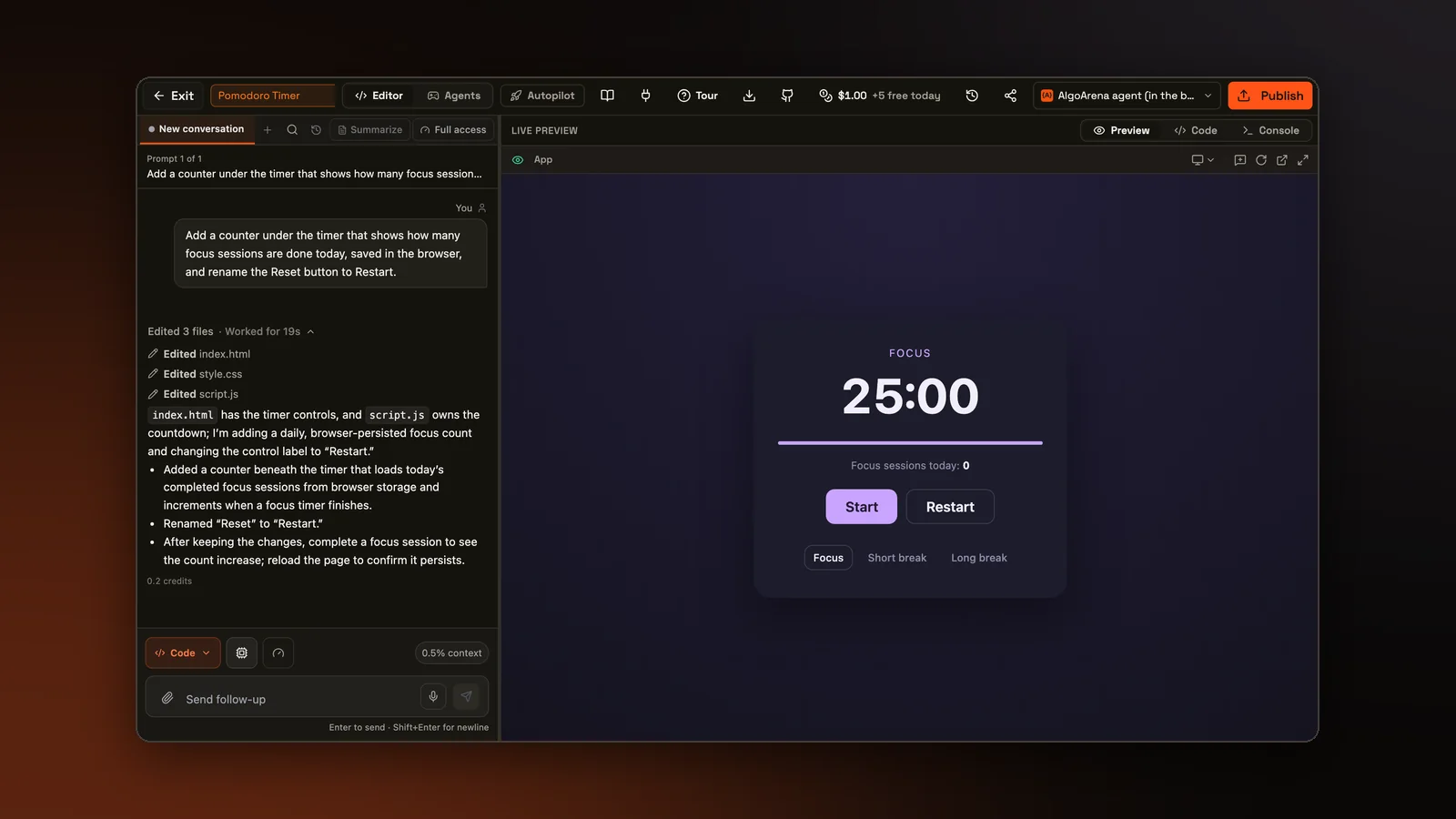
Builder is our page for making apps with AI. A project used to open under the site's own menu, which took a band at the top of every screen and offered a second set of links away from the work. A project now opens on the whole window, and the project's own top bar is the only bar. The projects list keeps the site menu.
A way out you can find
The top bar starts with an Exit button, an outlined button with a back arrow and the word Exit. It used to be a bare X, and at a workshop one person could not find how to leave the Builder until someone showed them. Exit takes you straight to the list of your projects. It asks first only while an agent is in the middle of a run, because leaving stops the run. The loading and error screens have the same button, so a project that fails to open still has a way out.
Every other page that used a bare X to leave now has the same Exit button. That covers practice problems, practice interviews, ranked and unranked battles, a classroom quiz played alone, classroom Build with AI and the practice run before an assessment. Each page still goes where it went before, and any page that asked before leaving still asks. On a narrow phone the word hides and the arrow stays.
Undo for Full access
Builder has permission levels that decide how much the agent may do on its own. On Full access, each change the agent makes to your files is kept the moment it lands, with no Keep or Reject step. That left no way back from a change you did not want, short of asking the agent to reverse it. A change kept this way now has an Undo button that puts its files back the way they were before it.
Undo works on the newest change first, then the one before it. Undoing an older change first would also wipe out every later edit to the same files.
Names that say what the project is
A new project used to be named after the first 80 characters of the prompt that started it, cut off in the middle of a word. Now an AI model writes a short name from the prompt, two to five words long. A prompt about showing ice cream flavors from the most popular down becomes Ice Cream Rankings. The model also fixes obvious spelling mistakes. If it gives no usable name, the project keeps the old one.
Closing a chat archives it
The close button on an Editor chat tab used to delete the chat for good, without asking. Closing the tab now archives the chat, which appears with all its messages in the Archived section of the Agents list. Restore brings the tab back. The Agents list and the Editor tabs now share one archive for each project, so a chat archived in one place leaves both.
The Archived section also has Delete next to Restore. Delete asks first, then removes the chat's saved messages. The project's files, its versions and its credit records stay as they were.
A new conversation that was never used, with nothing sent and nothing typed in its box, now goes away once you open another one, while a conversation with a typed draft stays. The last conversation, and any conversation an agent is still running in, are never removed.
Smaller fixes
Typing in the find box of a conversation used to jump to the first match after one letter, and the next letters went nowhere. Find now keeps the cursor in its box and marks the matches in the same colors.
Some projects run on a Machine, a cloud computer of their own. A Machine that sits idle now shuts down only after its files are saved and checked, and the next Machine gets them back before anyone can use it. If a file changed in both places, both copies are kept.
Try it on a real problem
Write code, run it against the tests, and see what passes. No account needed.