 AlgoArena Team 3 min read
Classroom Grows Into a Live Teaching Surface
Answers that lock on submit, a timer that submits code for students, custom tests, and a first debrief view made live classroom sessions easier to run.
Classroom started with a question. What if algorithm practice felt alive in the room instead of buried in a homework portal? This round of work made that question feel much more concrete.
What changed
We expanded the live classroom flow around quiz authoring and shareable sessions. Educators set up a session, students enter with less friction, and the room moves through questions with clearer feedback. We also kept polishing guest joining, sync between host and players, and the battle-style IDE from the first classroom release, so that the instructor does not have to narrate the platform.
One answer per question
Two changes from February set up this round. A submitted answer now locks, and the student moves to a waiting screen until the question closes. Before that, a student could keep sending answers to a live question and the counts came out wrong. Now a teacher reading the results sees one answer from each student on each question. The host can also remove a player from the session's player list, and that player lands back on the classroom page with a notice that they were removed.
When the clock runs out
Timing got its own pass a few days after this release. When the timer ends on a coding question, the code in the student's editor is run against the tests and submitted for them. The same happens on every question that a student answers in a code editor. Code that reaches the server just after the clock hits zero still counts, inside a short grace window. A student who runs out of time is graded on what they wrote.
Hosts can also turn on dynamic timing, which gives each question its own time limit in place of one fixed time for every question. A quick multiple-choice check and a full coding problem no longer have to share a clock.
What students asked for
Student feedback drove the rest of that update. Coding questions gained a custom tests box that never counts toward the grade. A student types an input the given tests do not cover and sees what their code prints. The quiz builder gained a preview for each question, so an educator can check a question before the room sees it. A pass over light mode also fixed text that was hard to read.
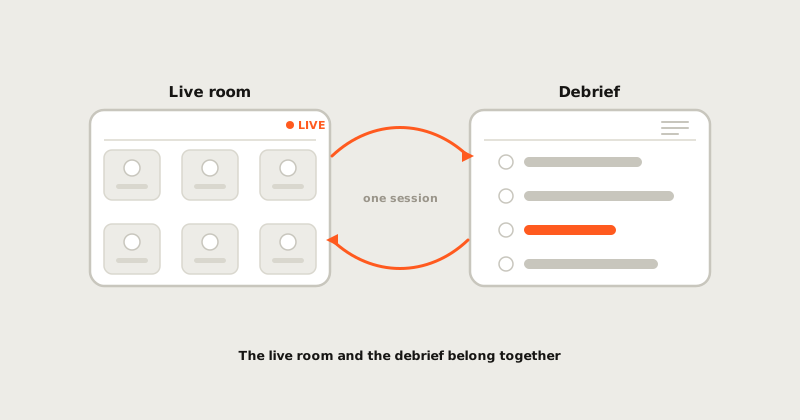
Sessions gained a debrief view after the last question too, the first version of the page that a later post walks through.
Why it matters
Classroom is meant to sit between a static assignment and a chaotic live session, for the reasons laid out in Classroom Mode Opens the Door. The product should help an educator notice confusion early, debrief the right concept, and keep momentum without turning class into surveillance.
Where it points
The next classroom work covers better question libraries and cleaner debriefs, plus stronger bridges from live sessions into practice. A quiz should outlast the class and become a useful artifact for review, remediation, and future assignments.