
Homework, Tried From Both Seats
We ran a homework assignment as a teacher and as a student and fixed what broke. Homework now has due dates, a scoring choice, code a teacher can read, and notices for questions, posts and new work.
On October 10 we ran a homework assignment from start to finish, once as a teacher and once as a student in that teacher's class. Several steps broke, some of them on only one side, and this post covers what we fixed and a few things we added along the way.
Students can open what they were given
A student in a class saw the homework in their list, clicked it, and got a page that loaded forever. The page let in only students who had typed the homework's join code, and students in a class are never shown that code. A class student is now added to the homework the first time they open it, and a student who joins the class later is given any homework that is still open. When the page does turn someone away, it now says so, where before it showed a spinner and asked our server again every second.
Clicking the class card had a worse side effect. The class page treated everyone who opened it as a teacher, so a student who clicked it was sent to the teacher setup page and their account was turned into a teacher account. The class and homework pages now leave the account type alone.
A homework problem says it is homework
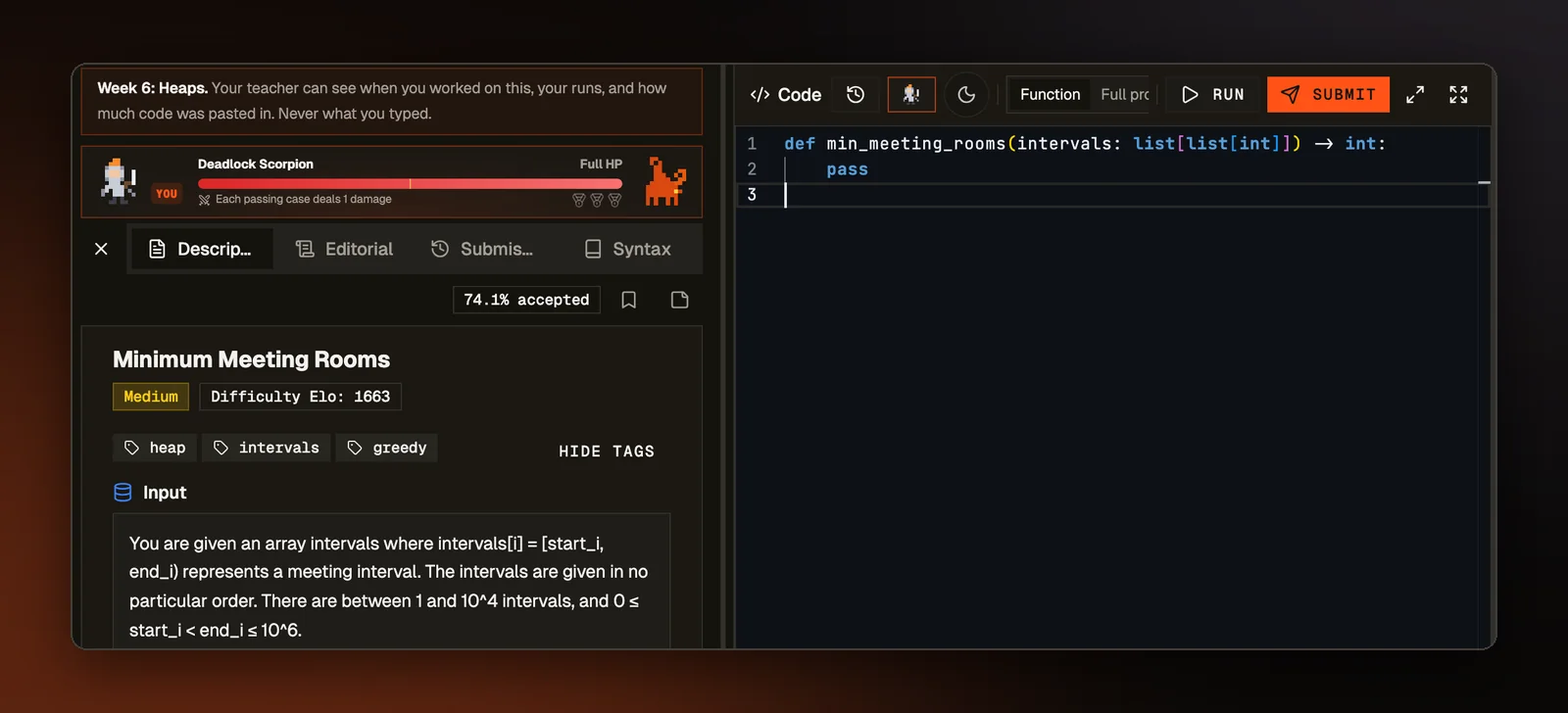
The problem page gave a student no sign they were working on an assignment. Exit went to the practice library, and the previous and next arrows walked to problems nobody had assigned. The page now shows the assignment's name and due date with a Back to assignment link. Exit returns to the assignment, and the arrows are gone from homework problems. Past the due date, the page tells the student their work will be marked late.
When a submission was refused, for example because the homework had been closed, the popup still said "Problem Solved!" It now says "Not handed in" and gives the reason. When the work cannot be saved, the popup says the same.
Due dates and scoring on the form
Homework could always have a due date, but no form let a teacher set one. The new homework form has the field, and the assignment's Settings tab can change or remove it. Work handed in after the due date is still accepted and marked late, and only closing the homework stops submissions.
The form also asks how coding problems are scored. Each problem is worth one point. Partial credit, the default, gives part of that point for each hidden test passed, so a student who passes 41 of 67 tests earns 61% of it. All or nothing gives the point only when every hidden test passes. Before this, every assignment used partial credit and nothing said so. Students now see one line on the assignment saying which rule applies.
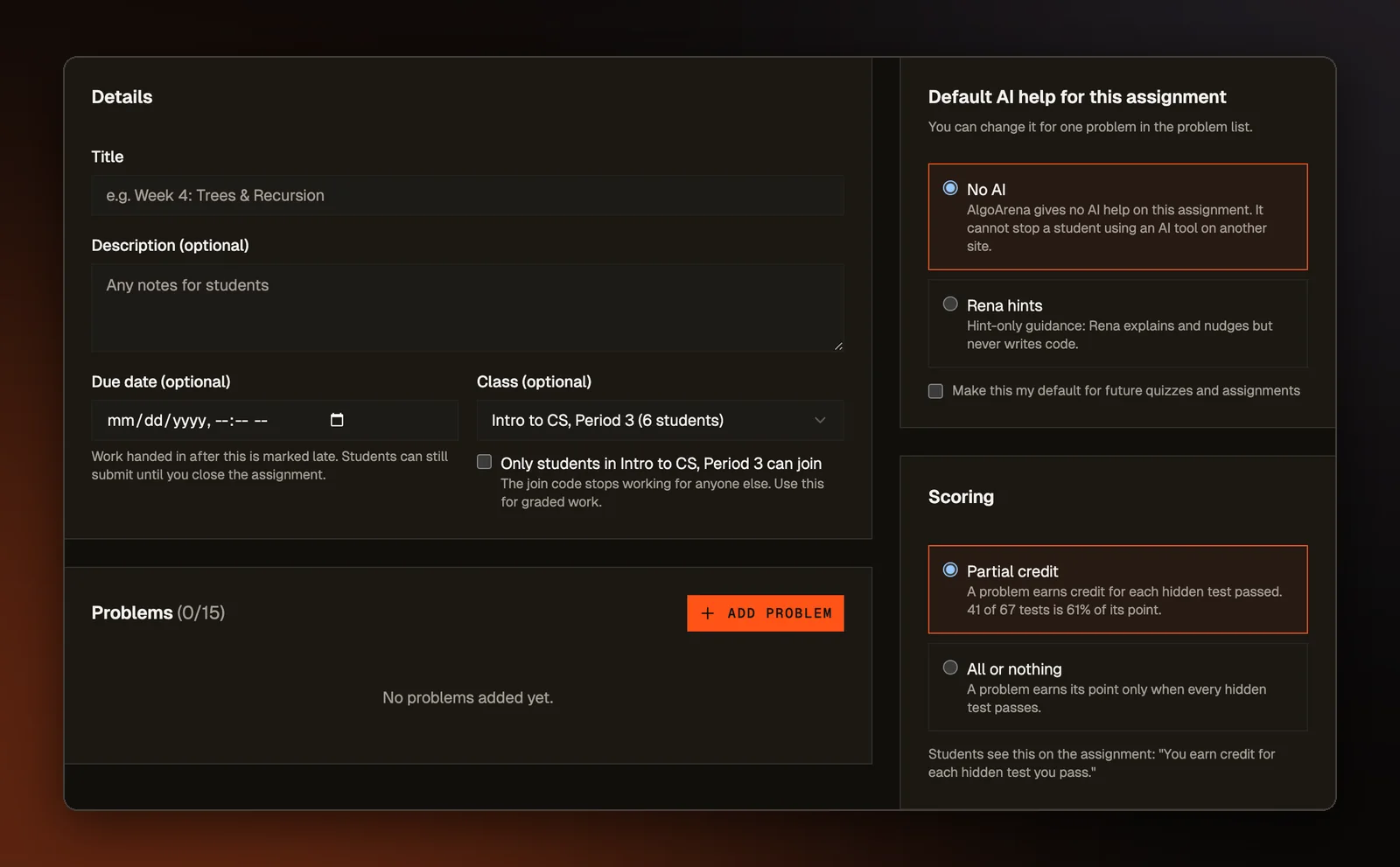
AI help is now the same for every student on an assignment. The form used to offer Student's choice, so two students doing the same graded work could get different help, with one able to use an assistant that writes code while a classmate had none. For coding problems the teacher now picks No AI or Rena hints, where our AI tutor gives hints but no code, and an assignment saved without a setting gets no assistant.
What the teacher sees
Because students join a homework's list when they first open it, the grades table and its export skipped anyone who never opened it, so a class of two showed "1 Student". Those students are now listed with a zero and "No submission", named from the class roster. The class average and the score chart still count only students who submitted something.
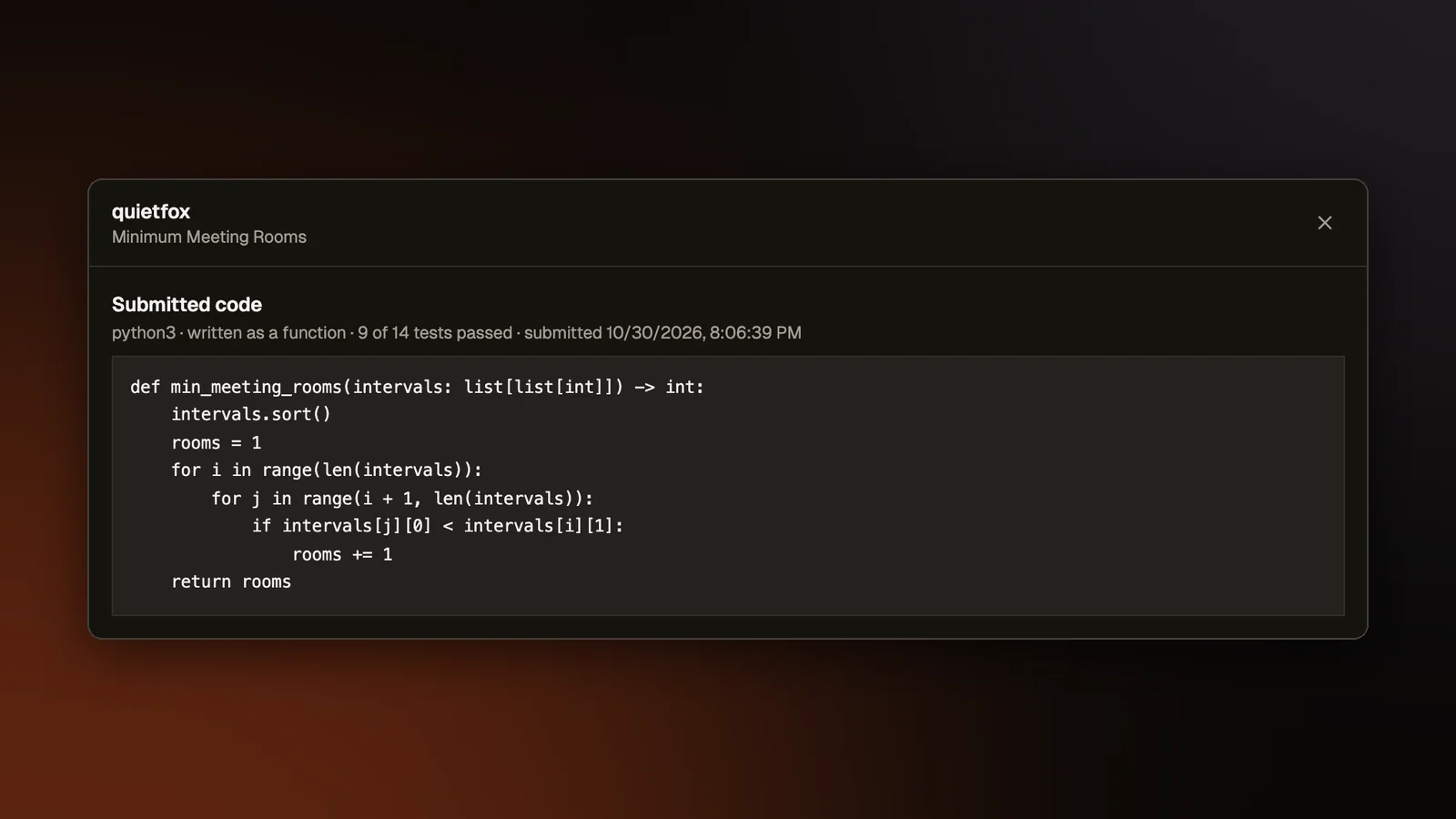
A teacher could already open a student's work on build and drawing problems. On a coding problem, an eye button in the grade cell now opens the student's code. It shows the best run, which is the one that counts, and the latest run when that is a different one, each with its language, tests passed and time.
Students can write a coding answer as a function, where the site passes the input in, or as a full program that reads the input itself. The review that looks for answers one small change away from passing, described in A Second Look at the Zeros, ran every answer again as a full program. A function that passed 41 of 67 tests was reported as passing none, and the teacher was offered a button to set 35% on work that had scored 61%. Each submission now records how it was written, and both the single review and the batch review run it again that way.
Telling people things
Each assignment has a page where students ask questions and the teacher answers. Until this change nothing in Classroom notified anyone, so a question sat on that page with no link to it on the teacher's side, an answer needed a reload to appear, and a post or new homework reached only the students who opened the class that day. Each of these now adds an entry to the bell menu at the top of the site and sends an email to the people it concerns:
- a student's question goes to the teacher
- an answer goes to the student who asked
- a post on the class stream goes to every student in the class
- new homework goes to every student it was given to
Each email carries an unsubscribe link and goes only to a verified address that has not unsubscribed.
Asking without your name
Students can also hide their name from classmates when they ask or answer a question on an assignment. The form says that the teacher still sees it, and a teacher can turn the option off in the assignment's settings. A hidden post keeps no name on the copy that classmates can read. The author is stored where only our server reads it, so a classmate cannot find the name even in the data behind the page.